

Back-office connector
Use this to see how your agency's booking and transaction data syncs in real time with your back-office accounting system, for financial reconciliation and reporting.
Agency Admins have view-only access. All fields on these pages are read-only for you. The screenshots below show what the current configuration looks like. To request changes or a different integration mode, contact NuFlights Support.
Overview
Go to Agency Admin > BackOffice Connector. This page shows the integration that is currently active for your agency.
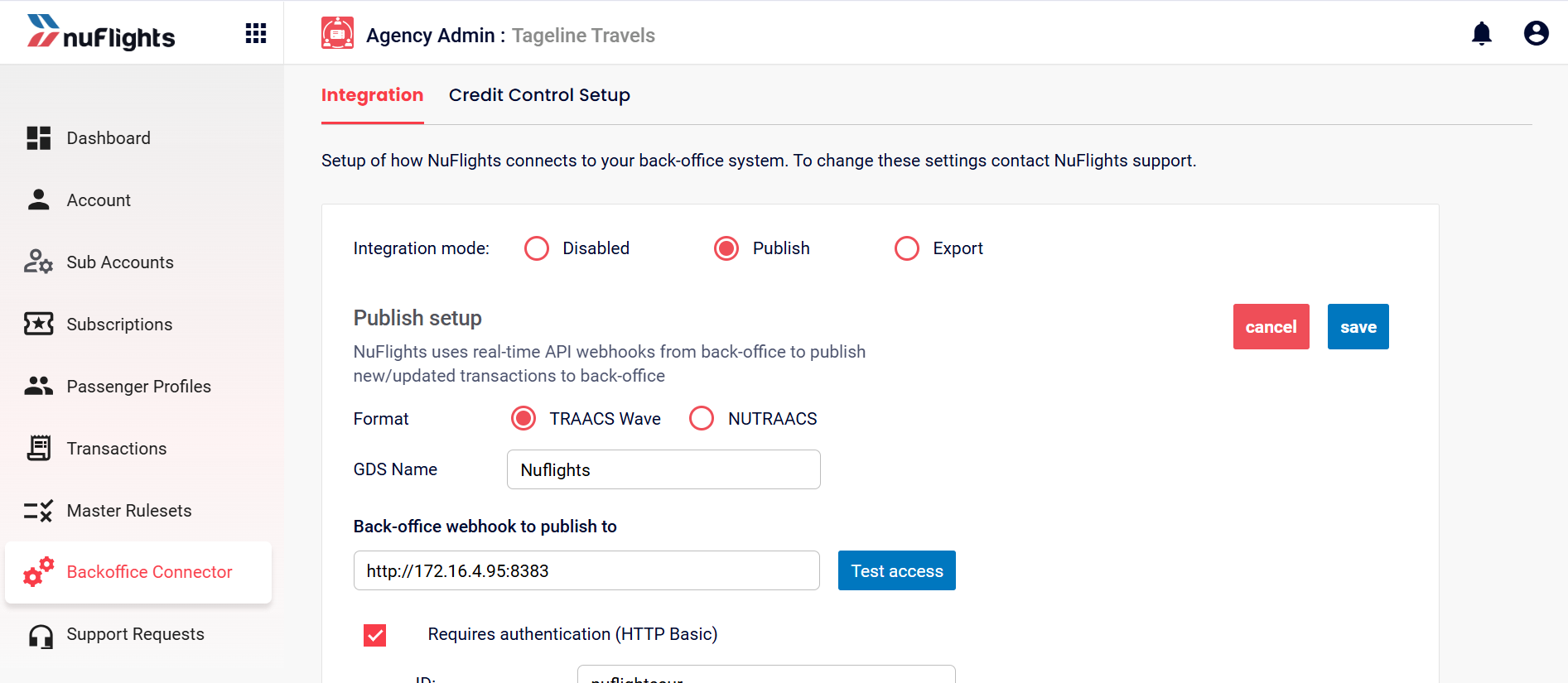
Integration modes
There are three integration modes. Your agency's details show under the mode it uses.
1. Published (Real-Time API)
Used for real-time sync with platforms such as Tracks Wave or NuTracks.
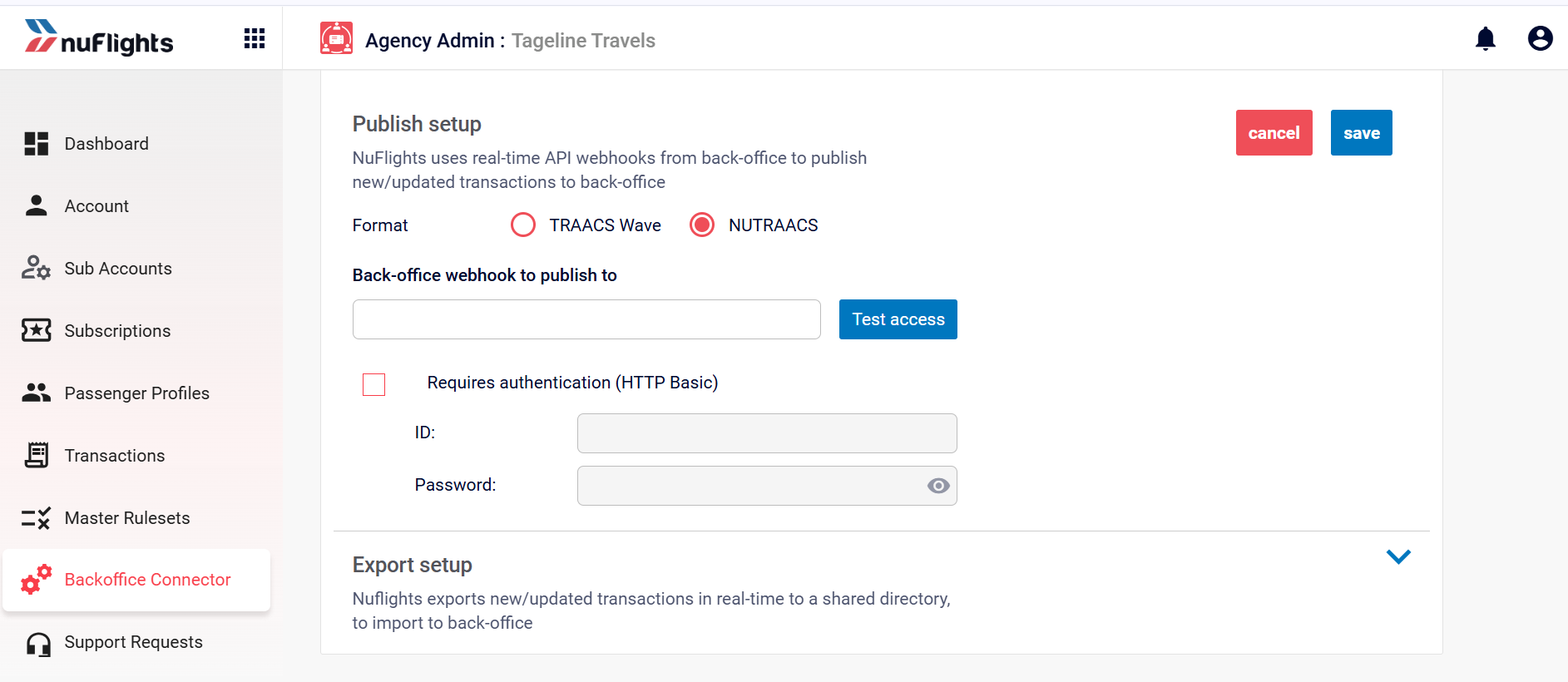
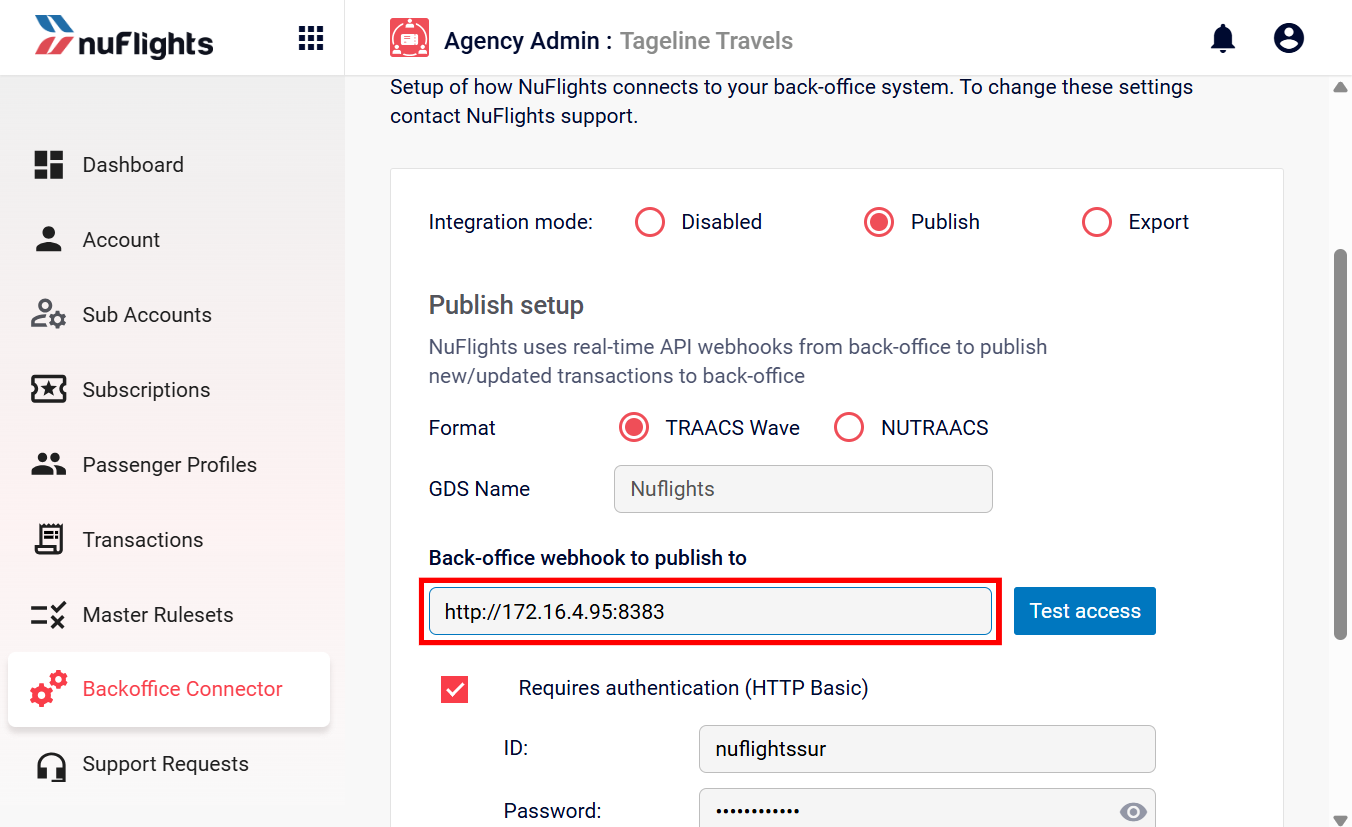
- Format: the selected application (for example,
NuTracks). - Webhook URL: the endpoint used for the sync.
- Authentication: the API credentials for the connection.
2. Export (File-Based)
Used for systems that process AIR files from a shared directory. The system generates AIR files containing the transaction details.
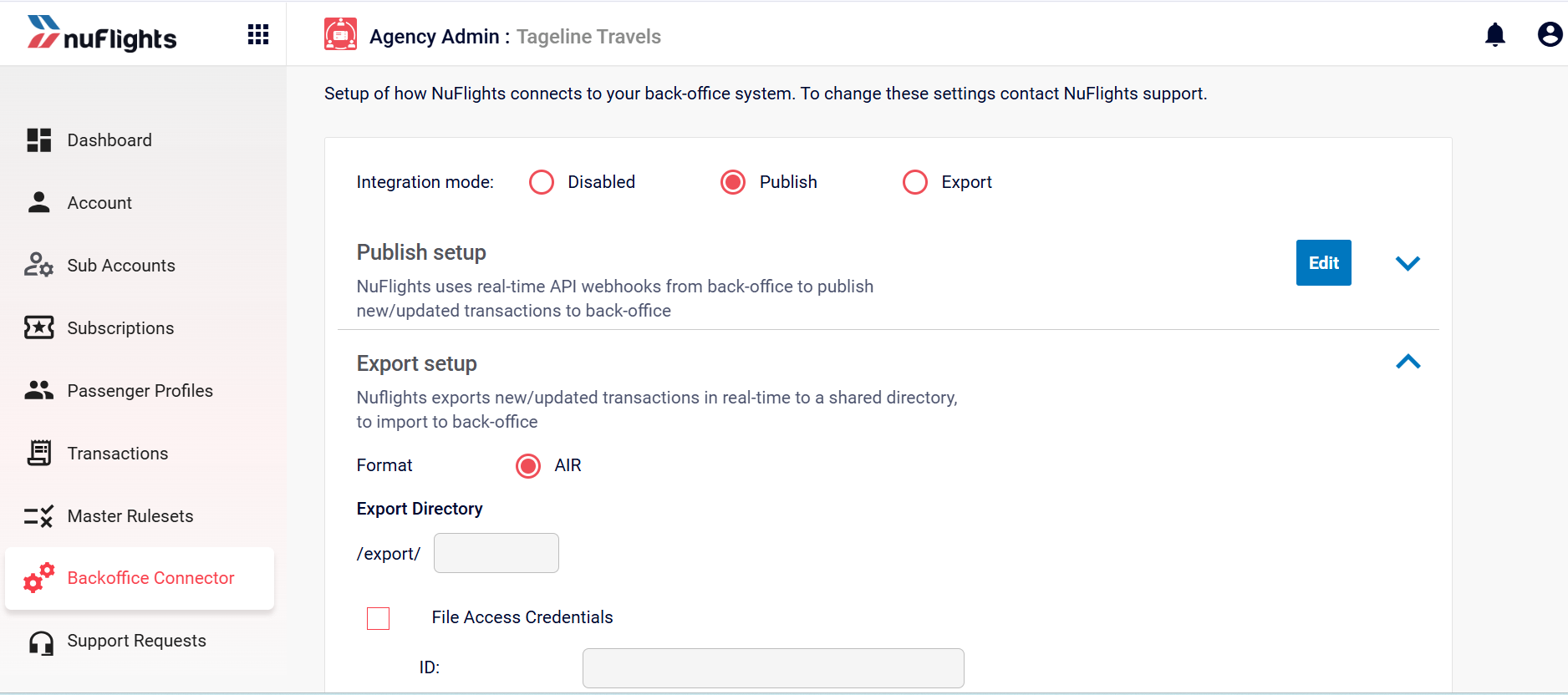
You can view:
- Export Directory: the folder path where the files are generated.
- Access Credentials: the credentials for accessing the file share.
3. Disabled
No back-office integration is active.
Credit Control setup
This shows how your agency's credit limits and sub-account controls are set up. These settings are pre-defined and Agency Admins can't change them. See also Credit control.
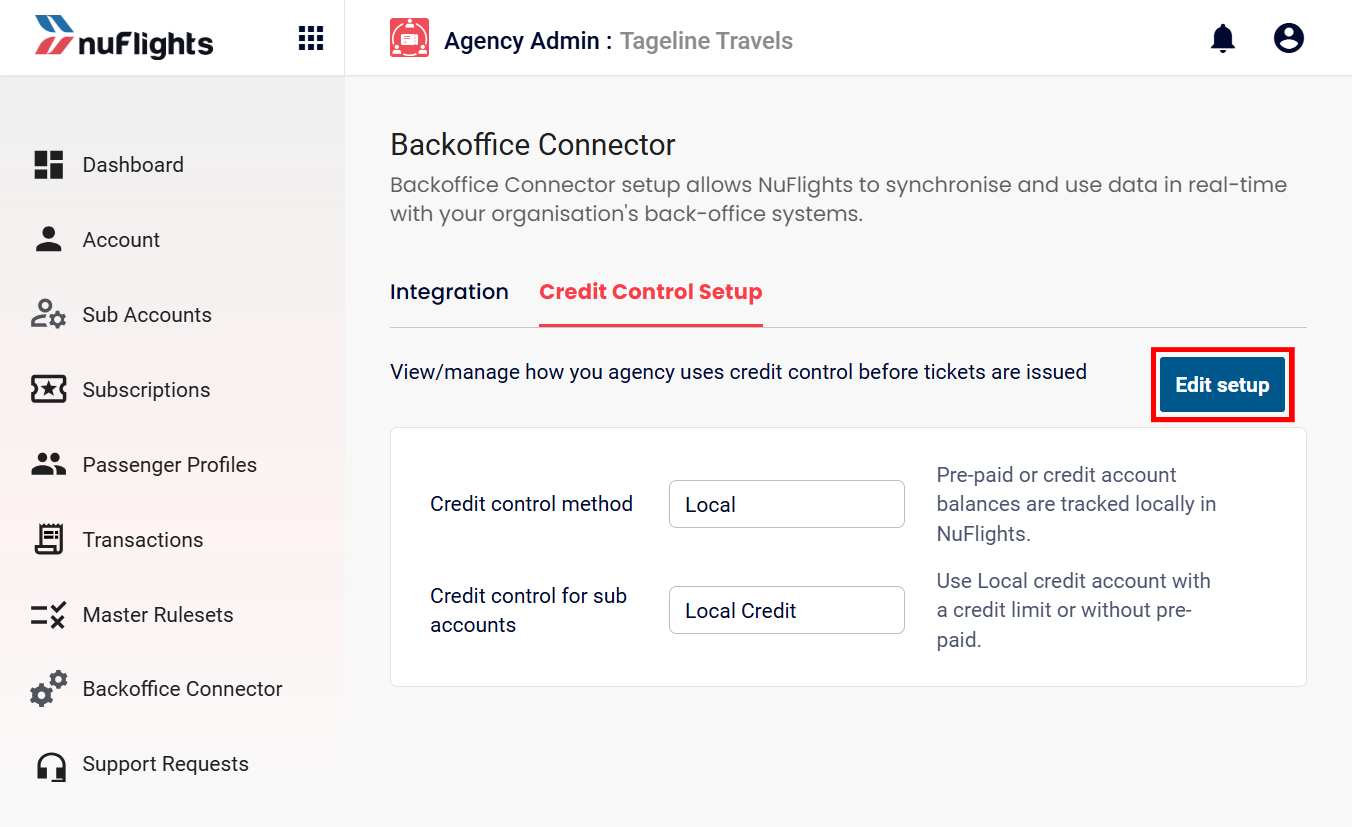
Credit Control method
- Back Office: credit is checked against your external accounting system.
- Local: balances are tracked locally in NuFlights.
Sub-Account control
- Local Credit: credit limits are enforced on your sub-agencies.
- No Limit: sub-agencies can book without a predefined cap.
Related guides