
Incentive accounts
Use this to add an airline's Incentive Account Number for your agency or for a specific agent, so the airline can track your sales and apply its rewards. You'll set it up in 3 steps, and agents can then check it on their orders.
Some airlines run incentive programs that reward agencies or individual travel agents for the sales they generate. In NuFlights you can configure these Incentive Account Numbers (or Incentive IDs) at agency level or for specific agents, so the airline can accurately track your sales records and apply ongoing rewards.
Set up an Incentive Account Number
Agency Admins configure the Incentive Account Number in the Subscriptions section. You can apply an airline-provided ID to individual agents or to the whole agency.
Step 1: Open Subscriptions
Go to Agency Admin > Account > Subscriptions.
Step 2: Choose the airline and who the ID is for
- Find the airline you want to assign an incentive for.
- In the configuration panel, select the agent. To apply it to everyone, leave it at agency level.
Step 3: Enter the Incentive Account Number and save
- Enter the Incentive Account Number from the airline in its field.
- Save your changes.
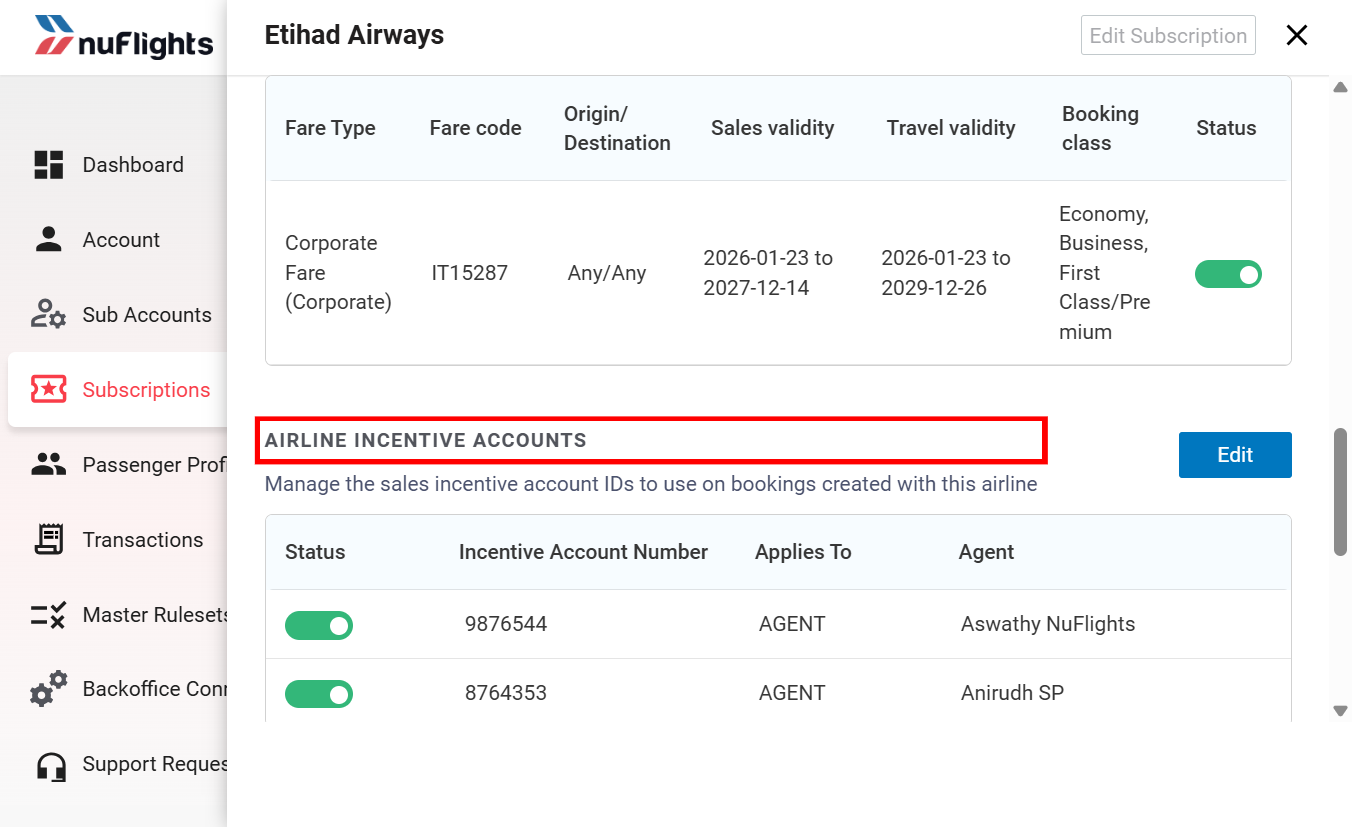
From now on, the ID is passed to the airline automatically whenever the selected agent logs in and completes a booking with that airline.
Check the Incentive ID on an order (optional)
The Incentive Account Number is handled automatically in the background during shopping and booking. If you want, you can check that it was attached to an order.
During booking
When a travel agent completes a booking with the configured airline, the incentive ID is sent to the airline's NDC system behind the scenes.
On the Order View page
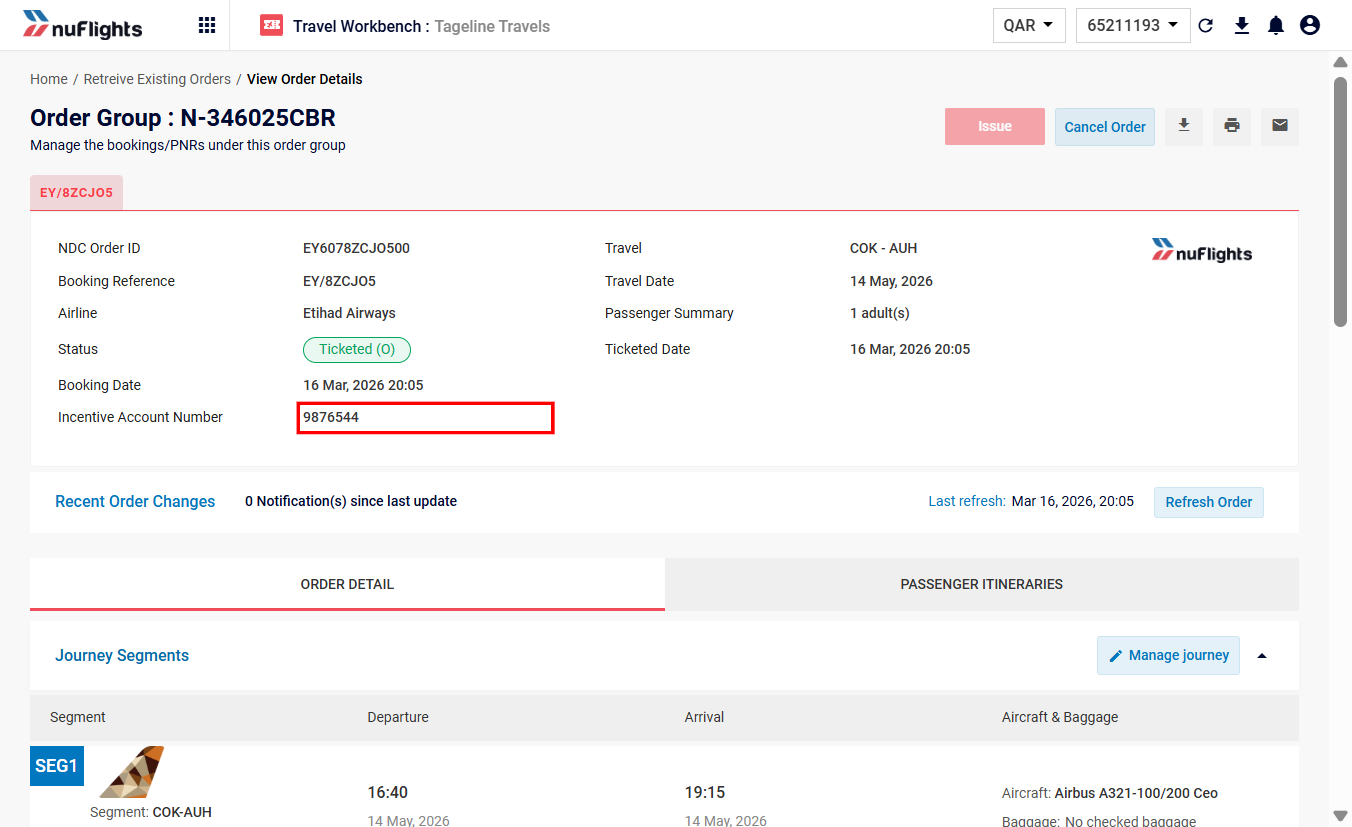
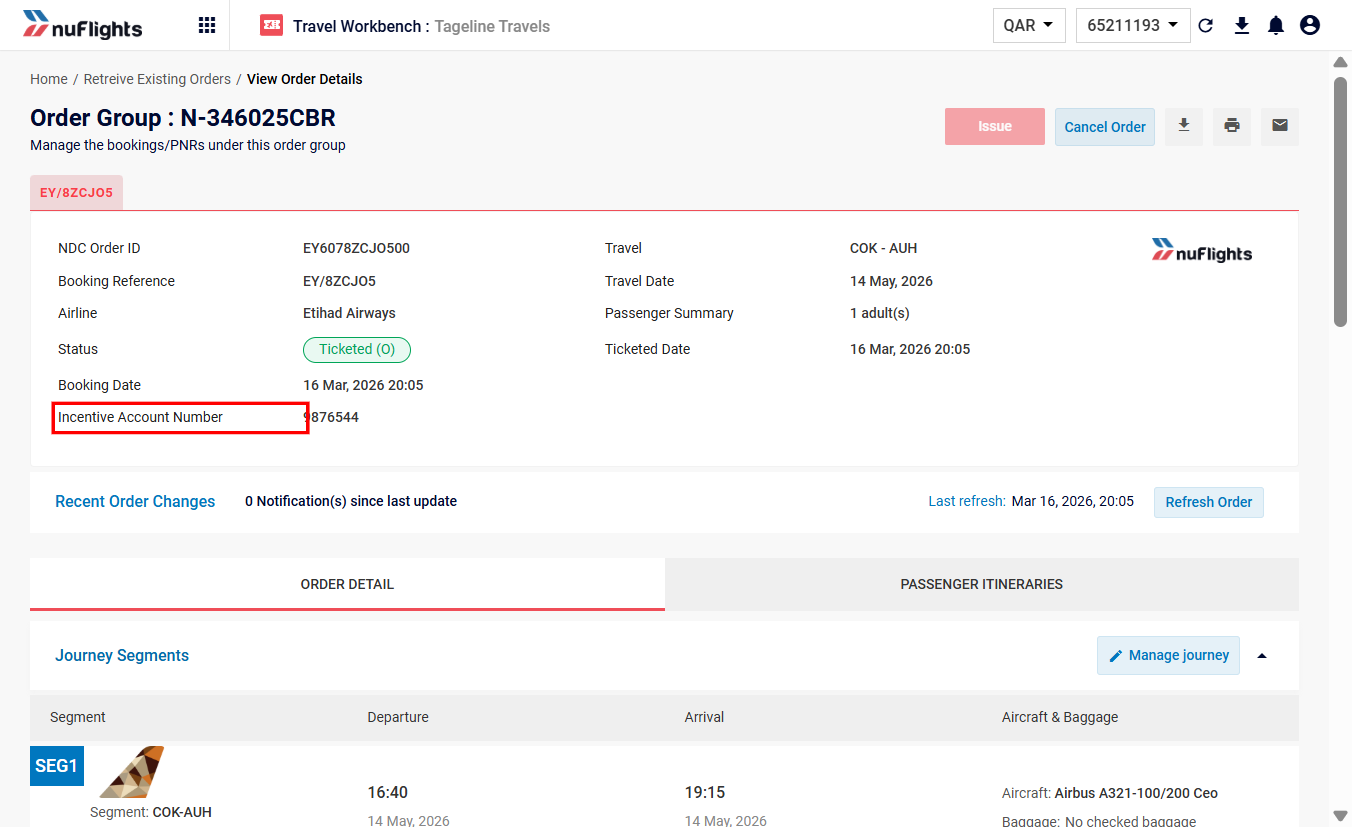
After the booking is confirmed, the Incentive Account Number is shown on the Order View page.
- Go to the Retrieve Orders page and open the booking.
- In the Booking Summary section (top left), find the Incentive Account Number field.
- Check that the correct ID is shown.