

Special fare codes
Use this to view, add, edit or delete the special fare codes (for example, corporate fares, IT fares, private fares) that your agency passes to an airline in flight search requests. You'll add a new code in 4 steps.
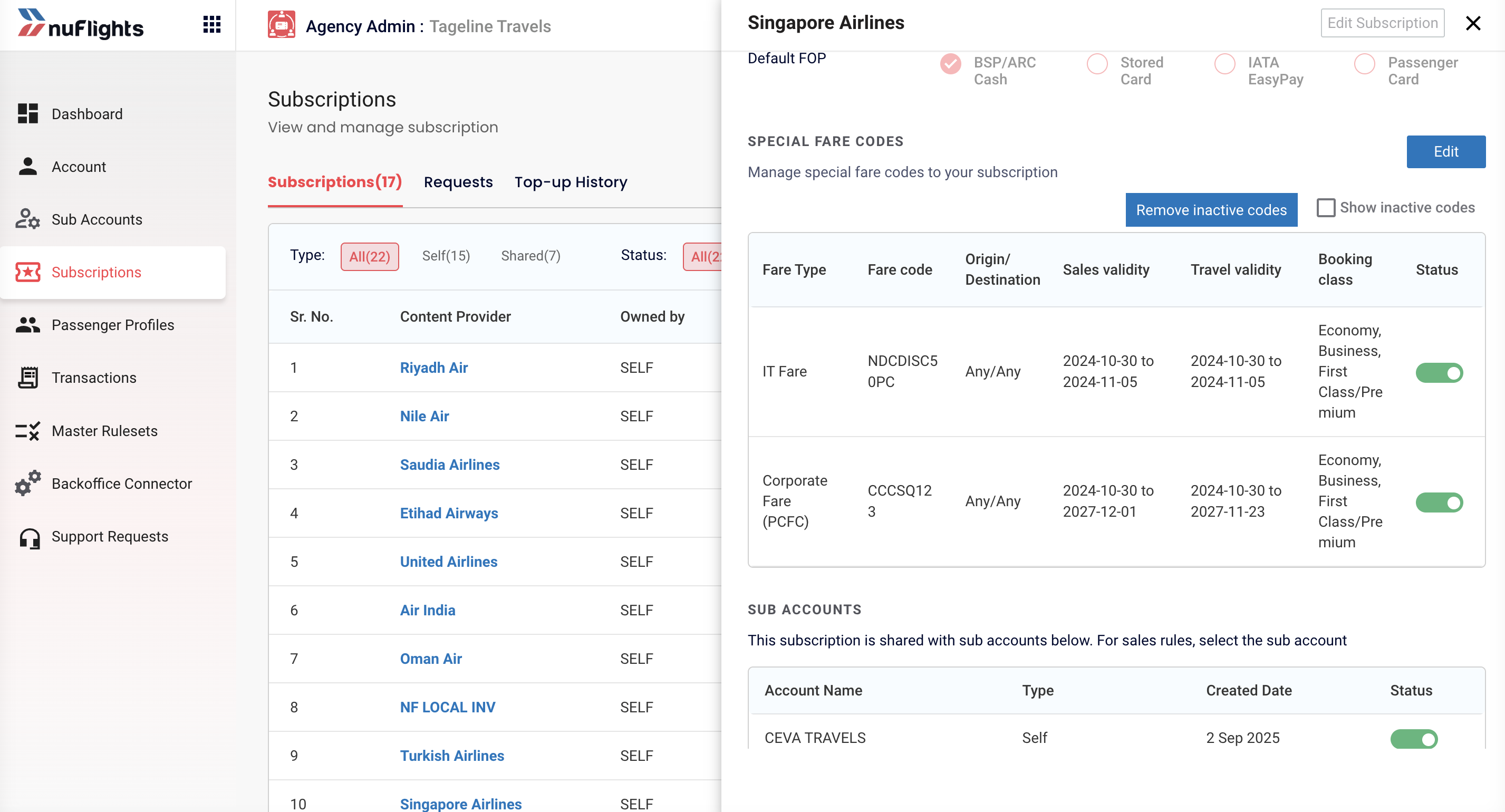
Step 1: Open the airline's Special Fare Codes
- Go to the Subscriptions tab.
- In your list of individual agency subscriptions, select the airline subscription (for example, Air India).
- Scroll down to the Special Fare Codes section.
Here you see all the active and inactive codes for this airline. You can also Edit or Delete existing codes.
Step 2: Choose the fare type and code
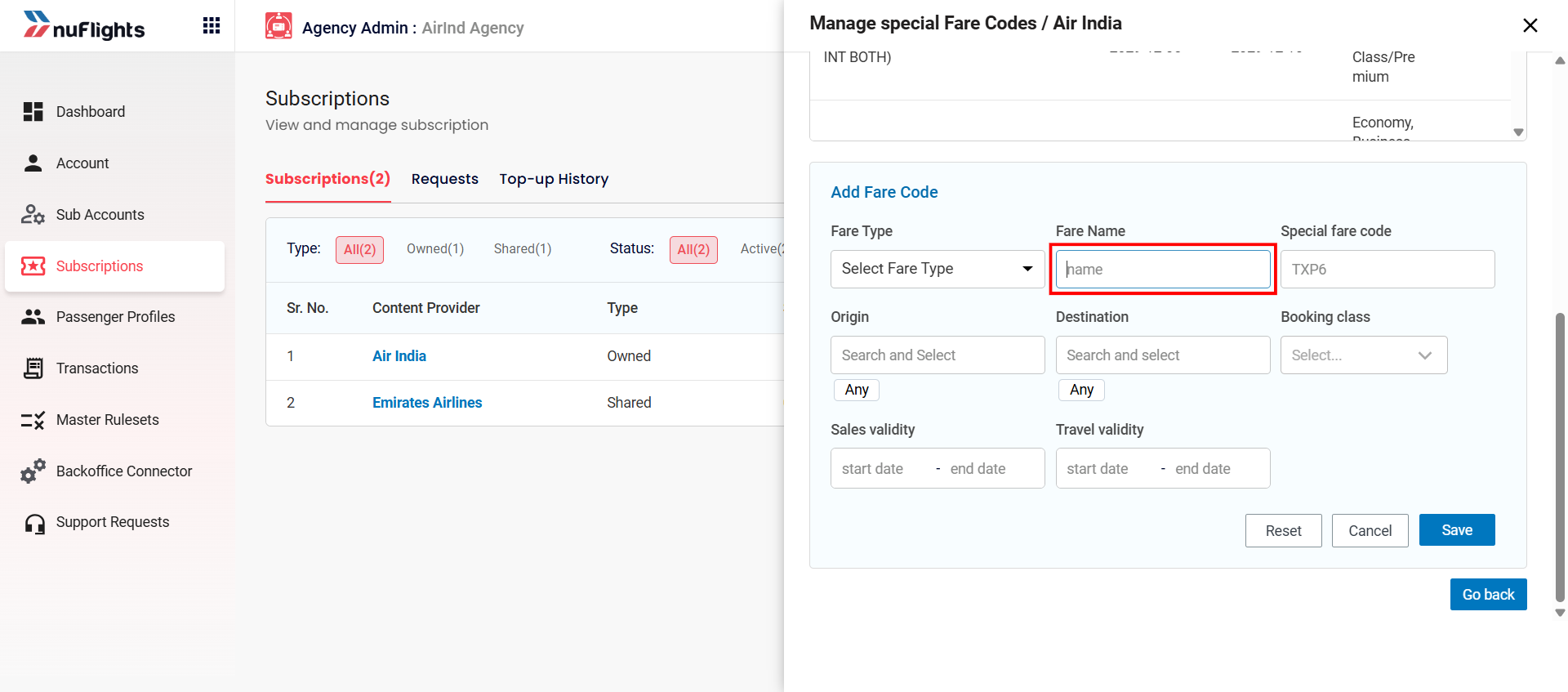
- In the Special Fare Codes section, click Add.
- Select the Fare Type (for example, Corporate fare, IT fare).
- Enter the Fare Code name given to you by the airline or the corporate customer.
Step 3: Set where and when the fare applies
- Enter the Origin and Destination (optional restrictions).
- Enter the Booking Class the fare applies to.
- Set the Sales Validity: the dates the fare can be sold.
- Set the Travel Validity: the dates the passenger can travel.
Step 4: Save the code
Click Save to apply the new code.
Related guides