

Airline subscriptions
Use this to see which airline content your agency can access, to request a shared subscription from another agency, and to share your own subscriptions with your sub-agencies.
Airline subscriptions give customer agencies access to airline content through NuFlights. An agency can have its own direct subscriptions, or use subscriptions shared by other agencies.
Want direct access to an airline's content? Ask the NuFlights support team at support@nuflights.com.
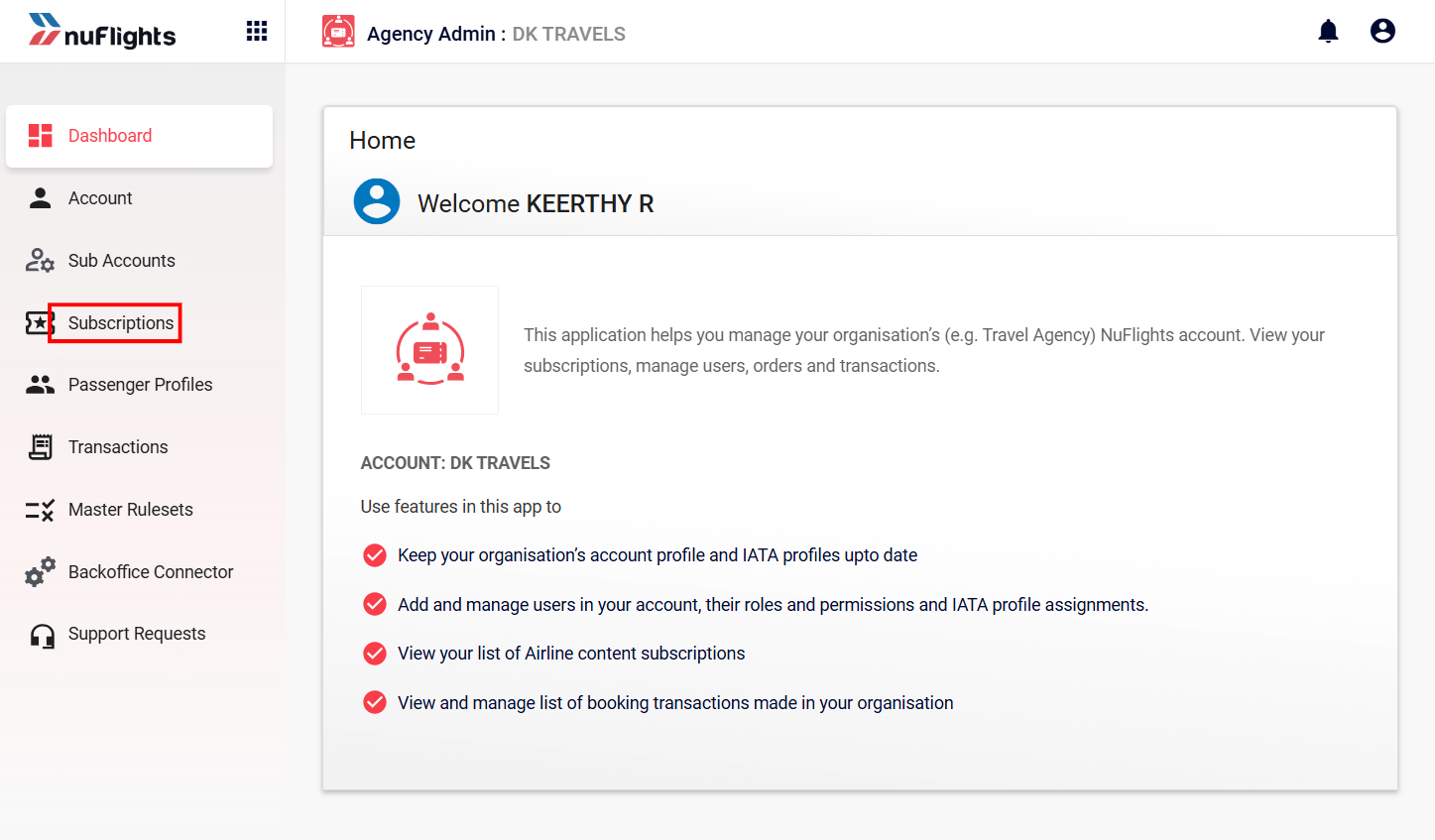
View your subscriptions
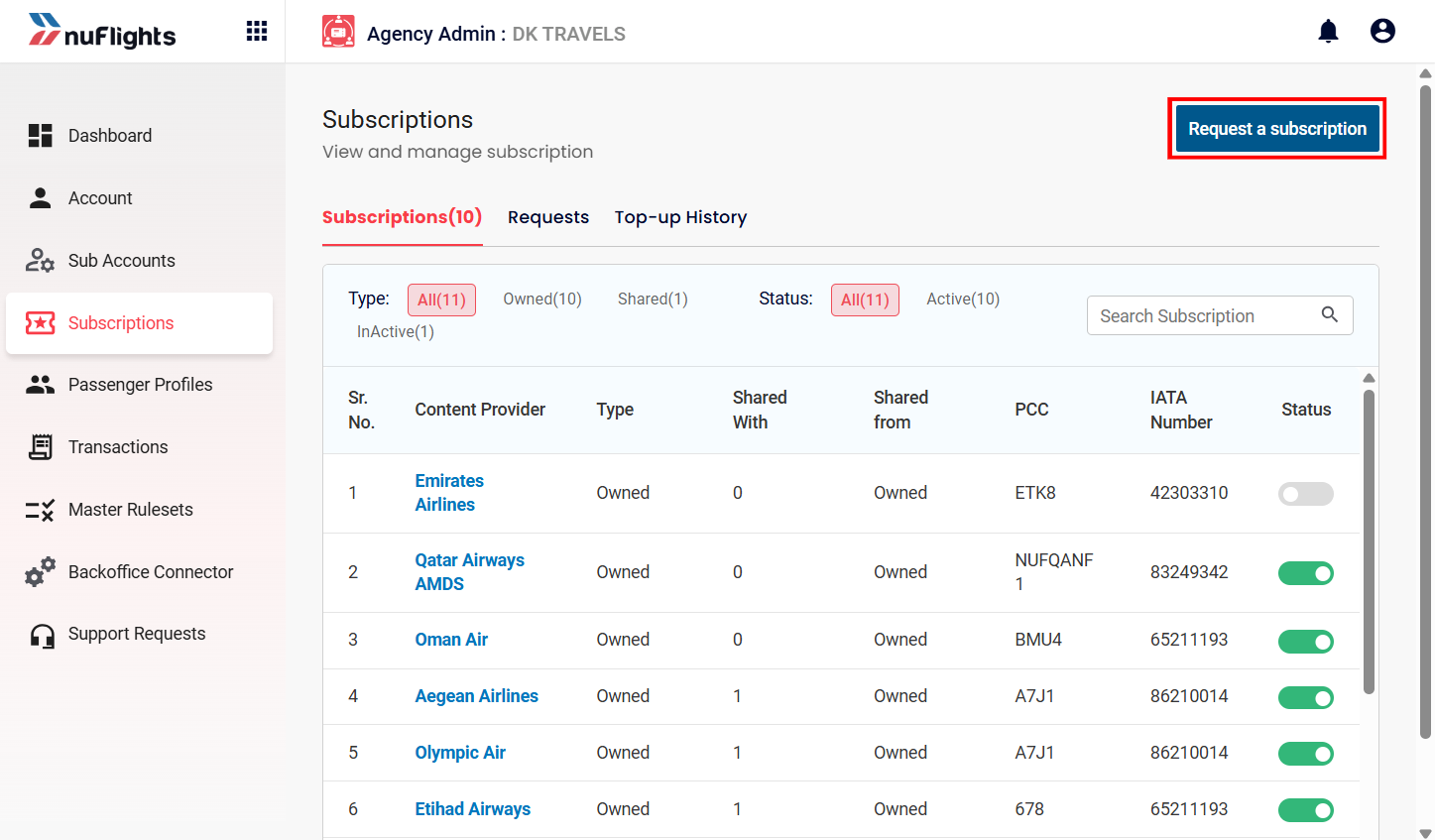
The Subscriptions page shows all the airline content connections available to your agency.
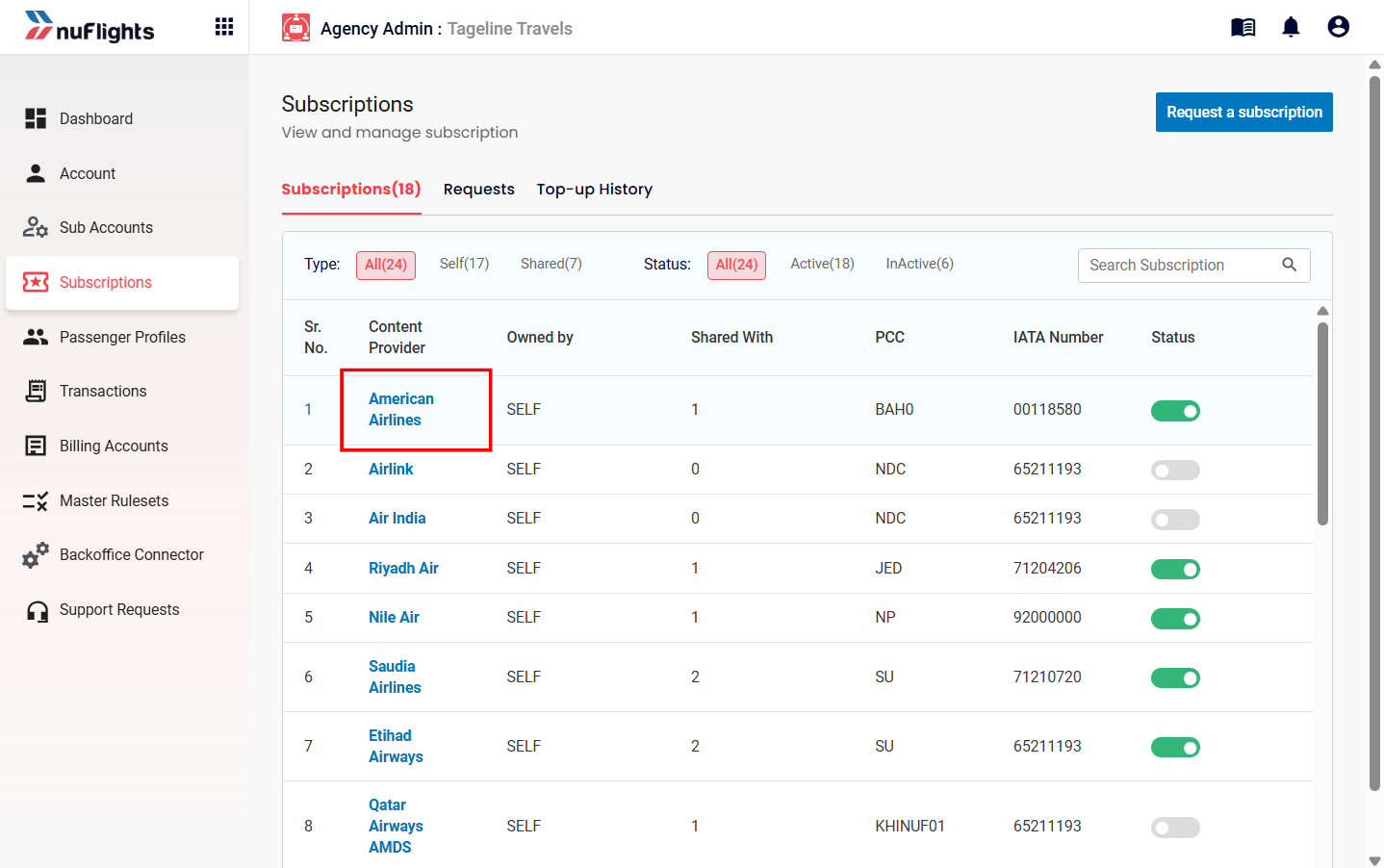
- In the sidebar, click the Subscriptions tab.
- Check the list of active and inactive subscriptions.
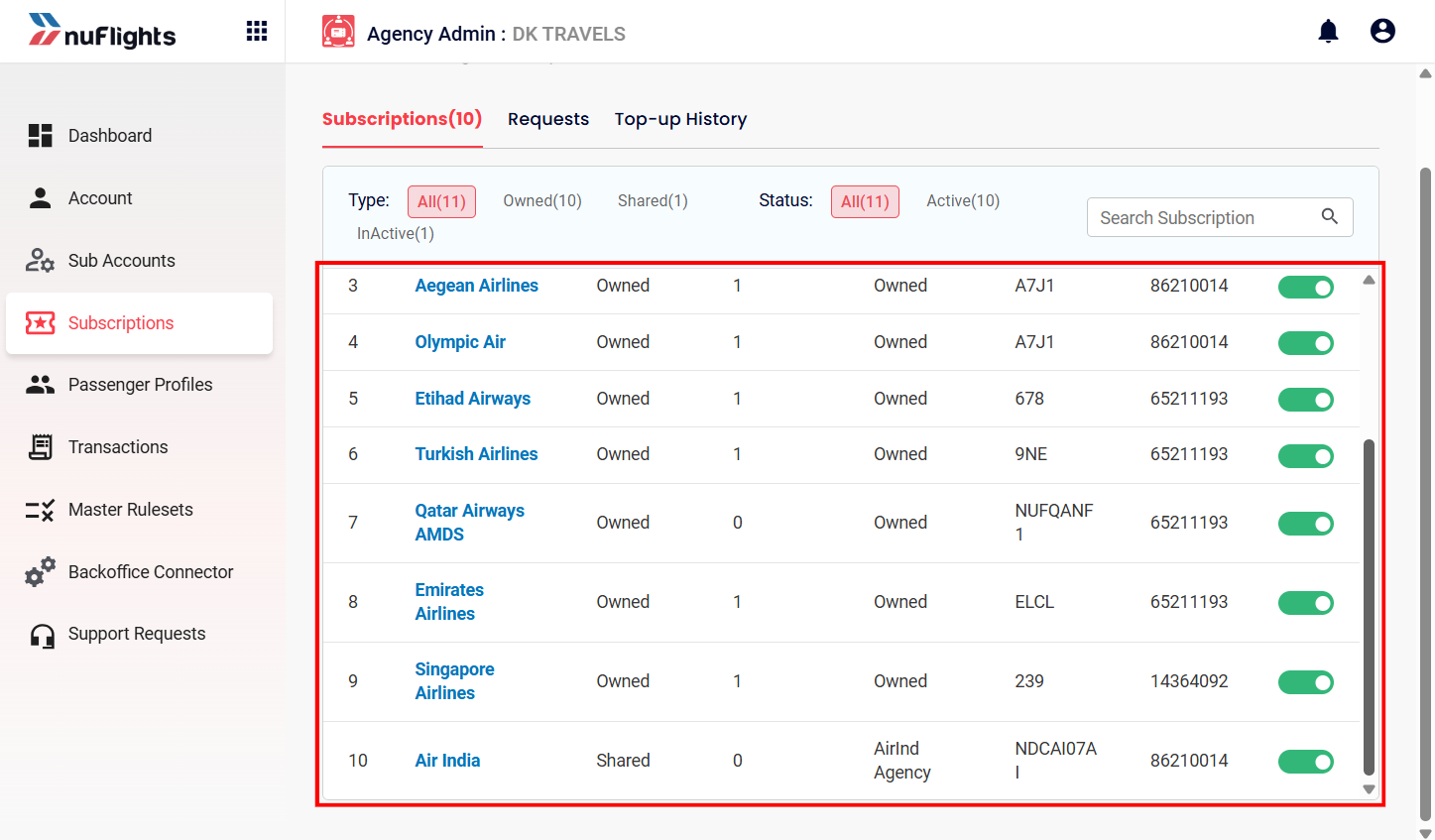
Filter and search
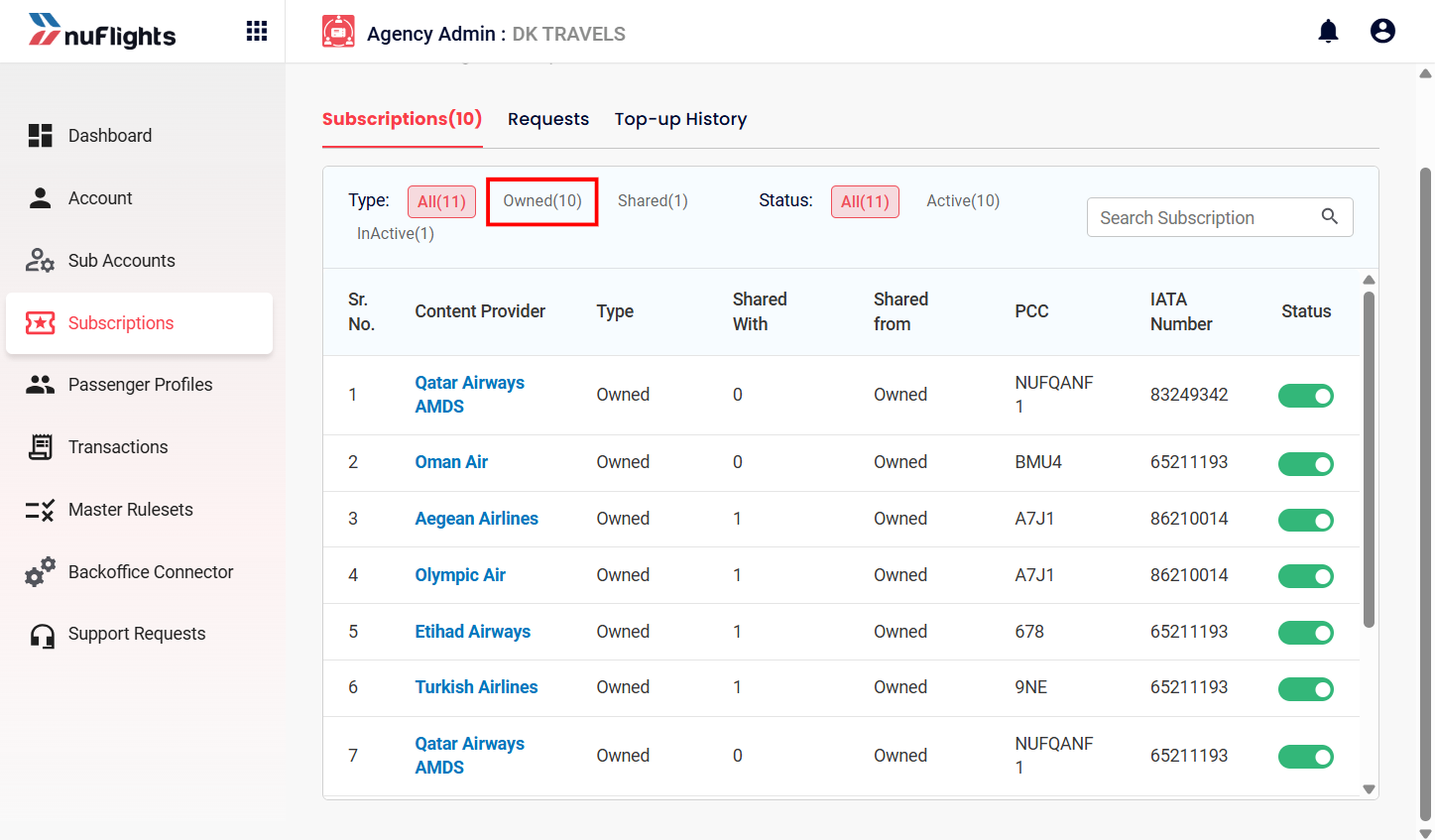
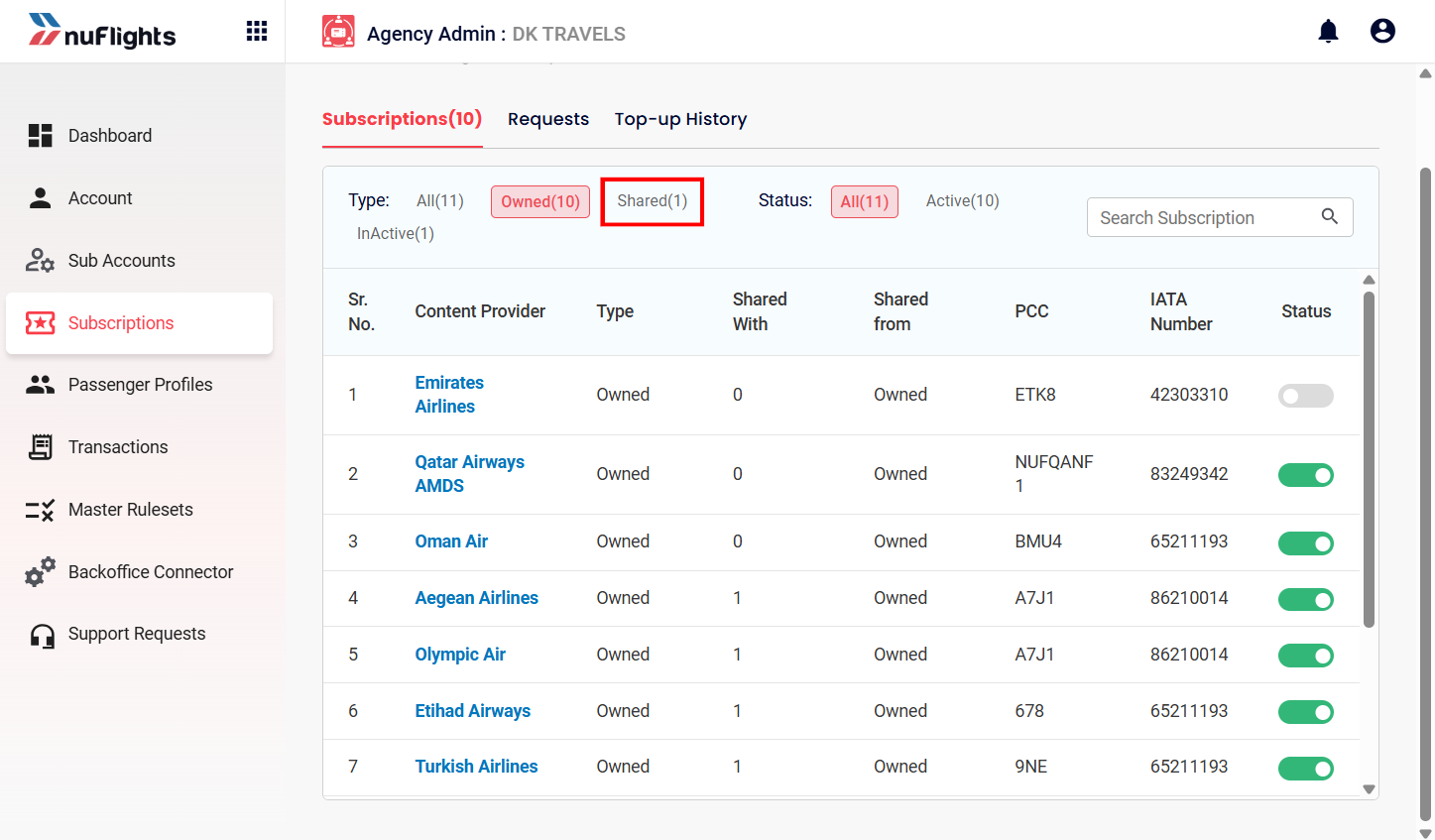
You can filter subscriptions by source or status:
- Owned: subscriptions set up directly for your agency.
- Shared: subscriptions shared with you by another agency.
- Status: show Active or Inactive subscriptions.
To find a specific airline or content provider, use the Search Subscription bar.
Request a shared subscription
If you need access to a subscription owned by another agency, request a sharing relationship.
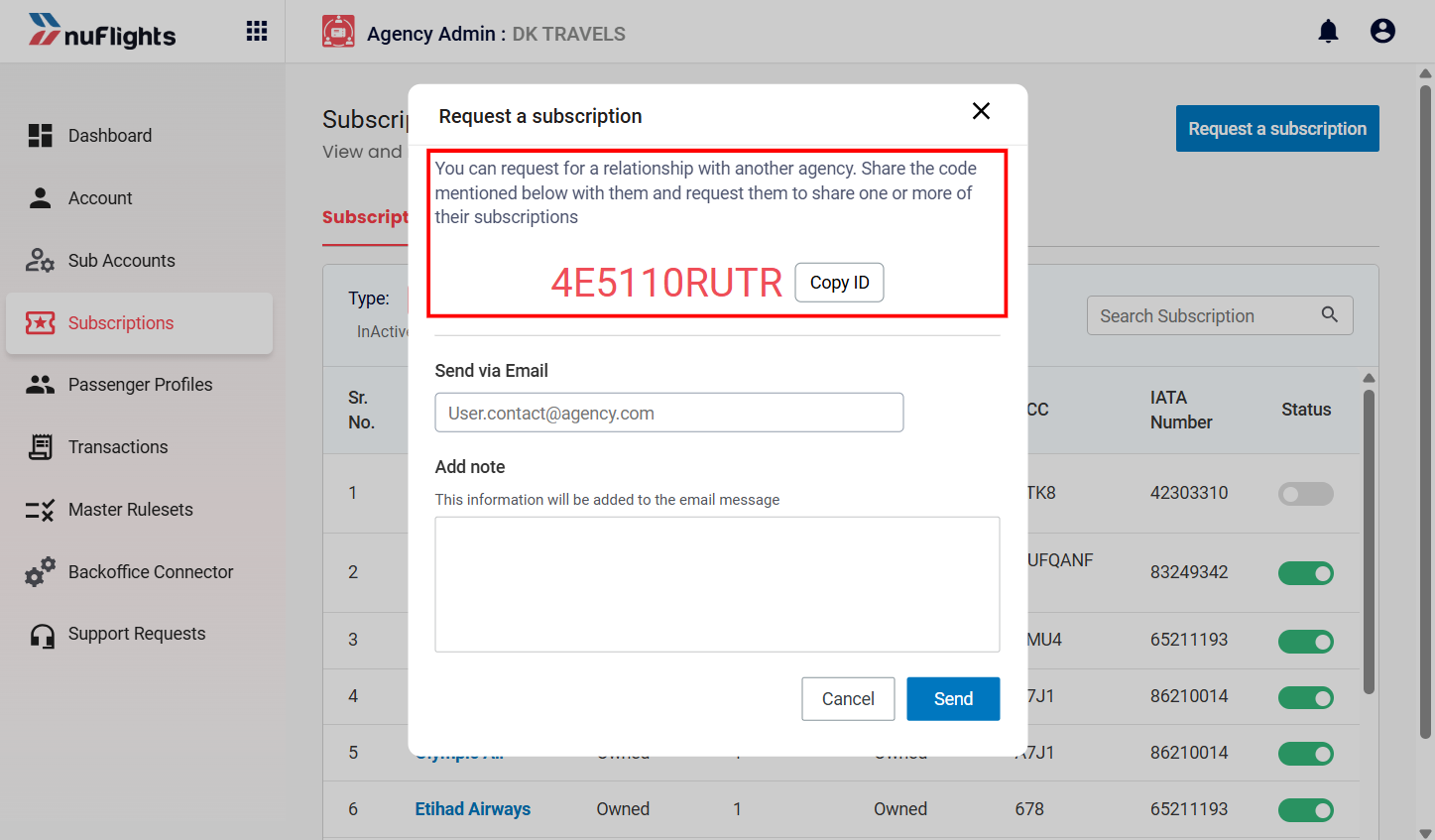
- Click Request a subscription. A unique Relationship Code is generated for your agency.
- Enter the Email ID of the agency you're requesting from.
- Add a note if you want (optional).
- Click Send.
Track requests
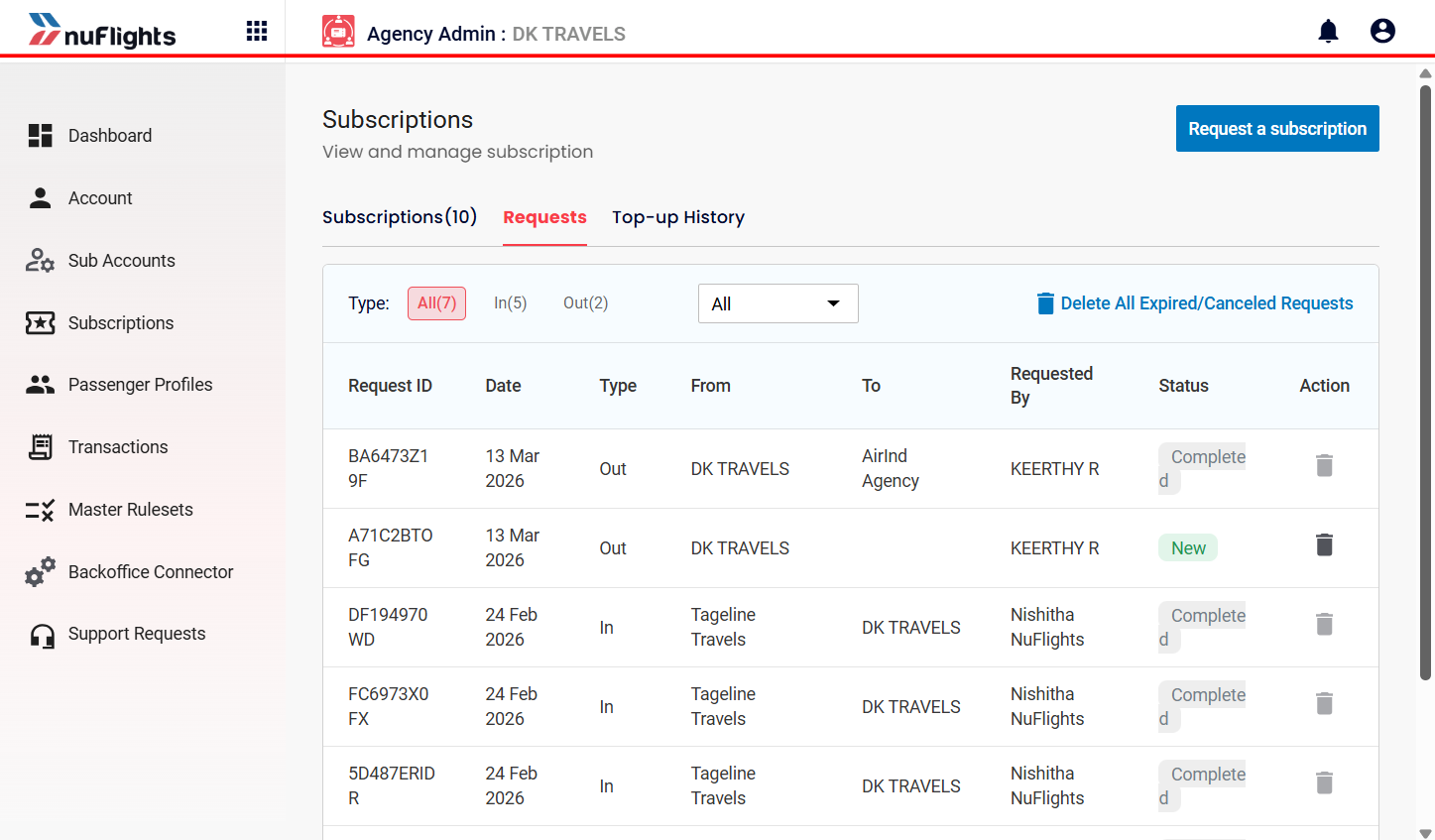
See the status of the requests you've sent and received on the Requests tab.
Share subscriptions with sub-agencies
Agencies that own direct airline subscriptions (Main Agencies) can share their active subscriptions with their sub-agencies from the Agency Admin Portal. Sub-agencies then don't need to send their own subscription requests.
Step 1: Open Subscriptions
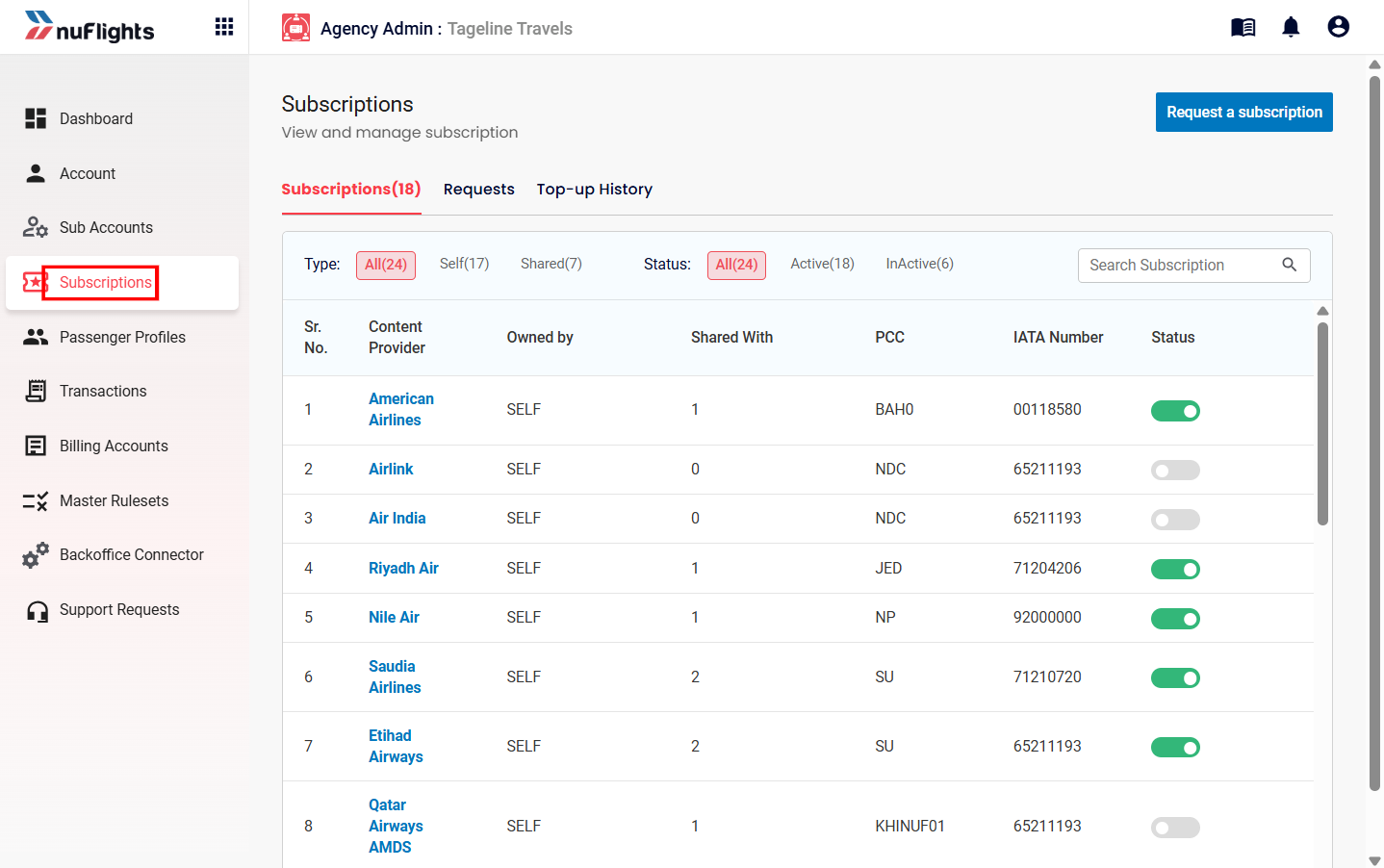
Log in to the Agency Admin Portal and click the Subscriptions tab in the left sidebar.
Step 2: Select the airline subscription
Find the active airline subscription you want to share and click the Airline Name.
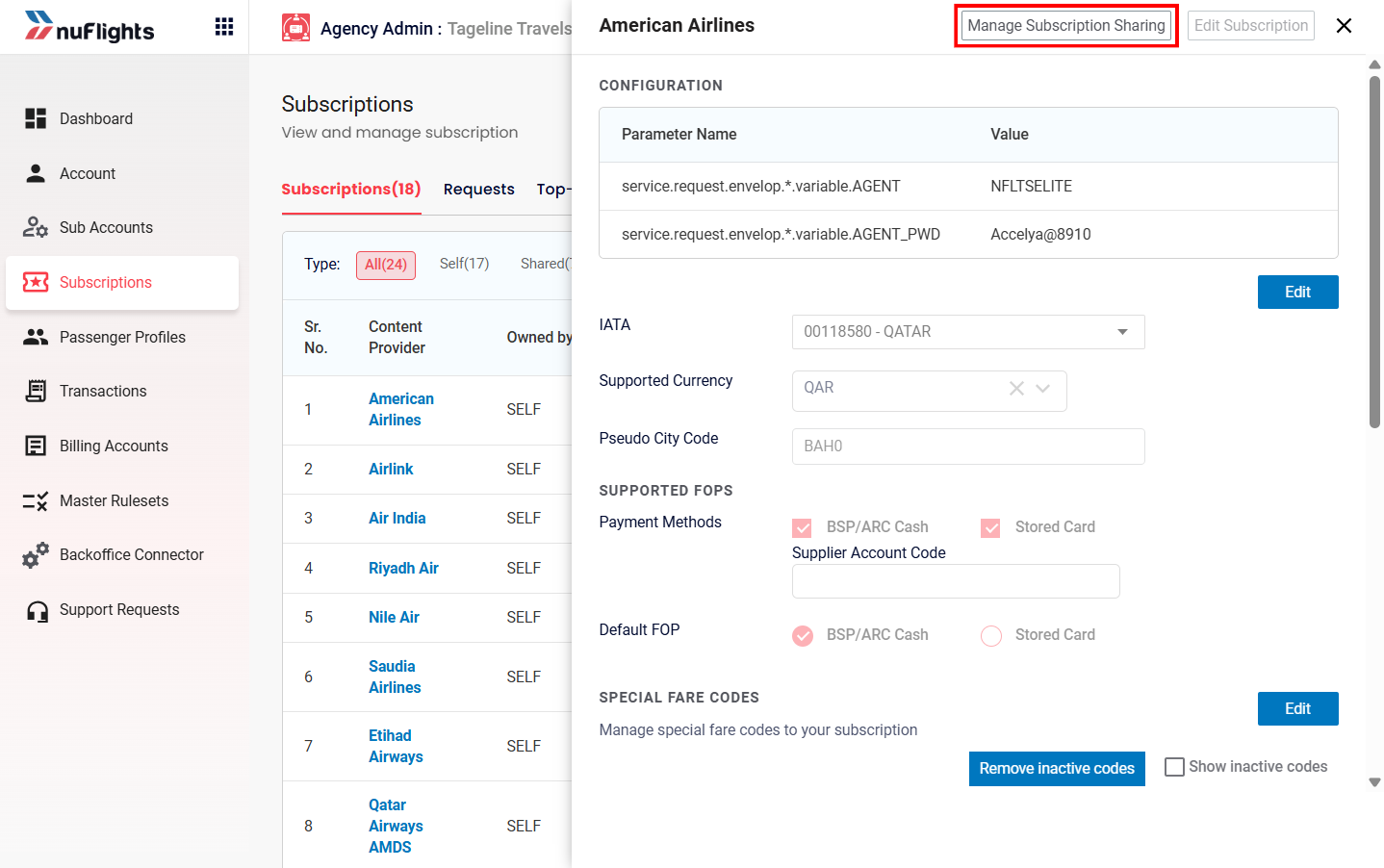
Step 3: Open Manage Sharing
In the subscription details pop-up, click Manage Sharing.
Step 4: Select the sub-agencies
A window opens with the sub-agencies that don't have this airline subscription yet.
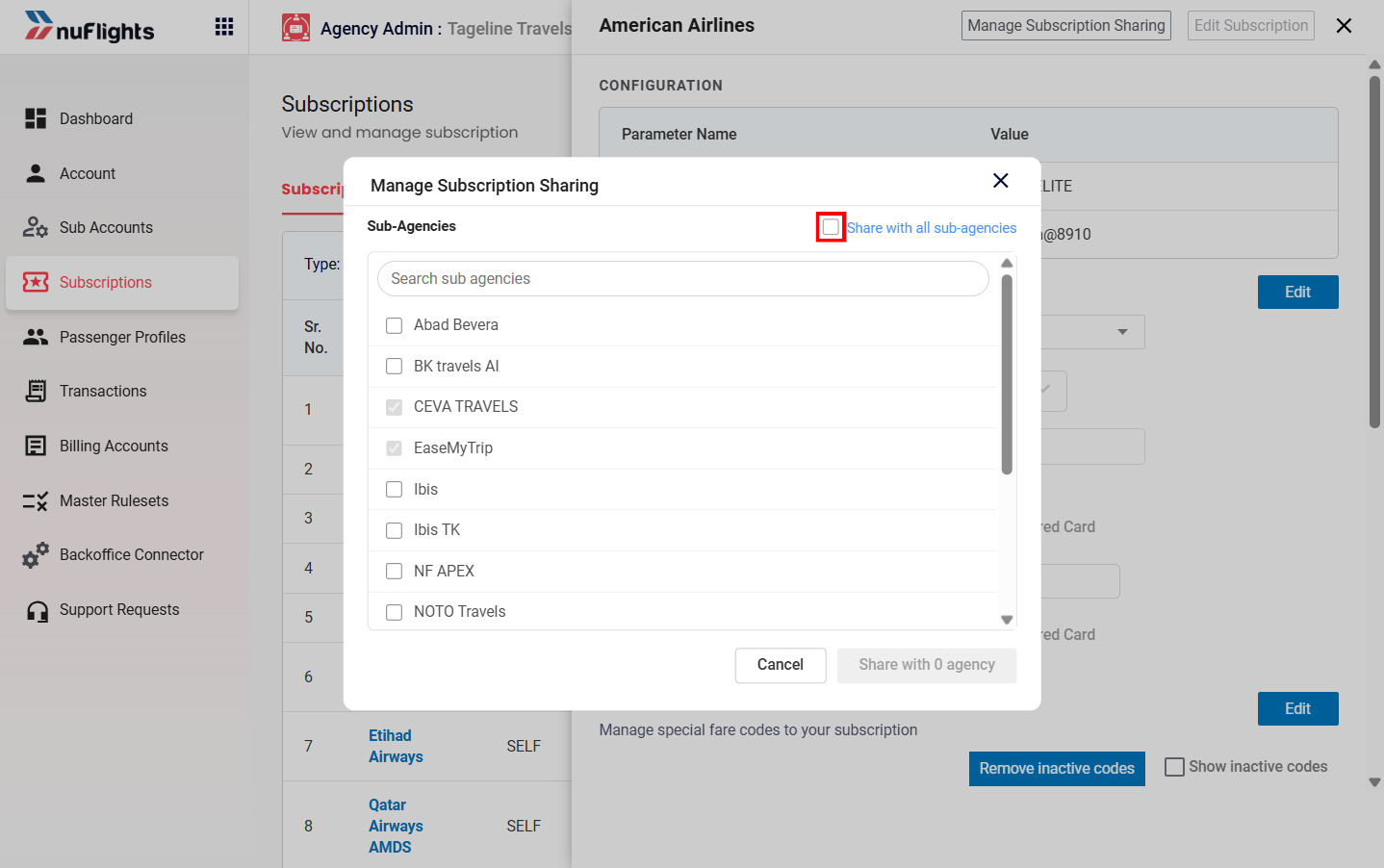
- To share with specific sub-agencies, check the boxes next to their names.
- To share with all sub-agencies, check Select All.
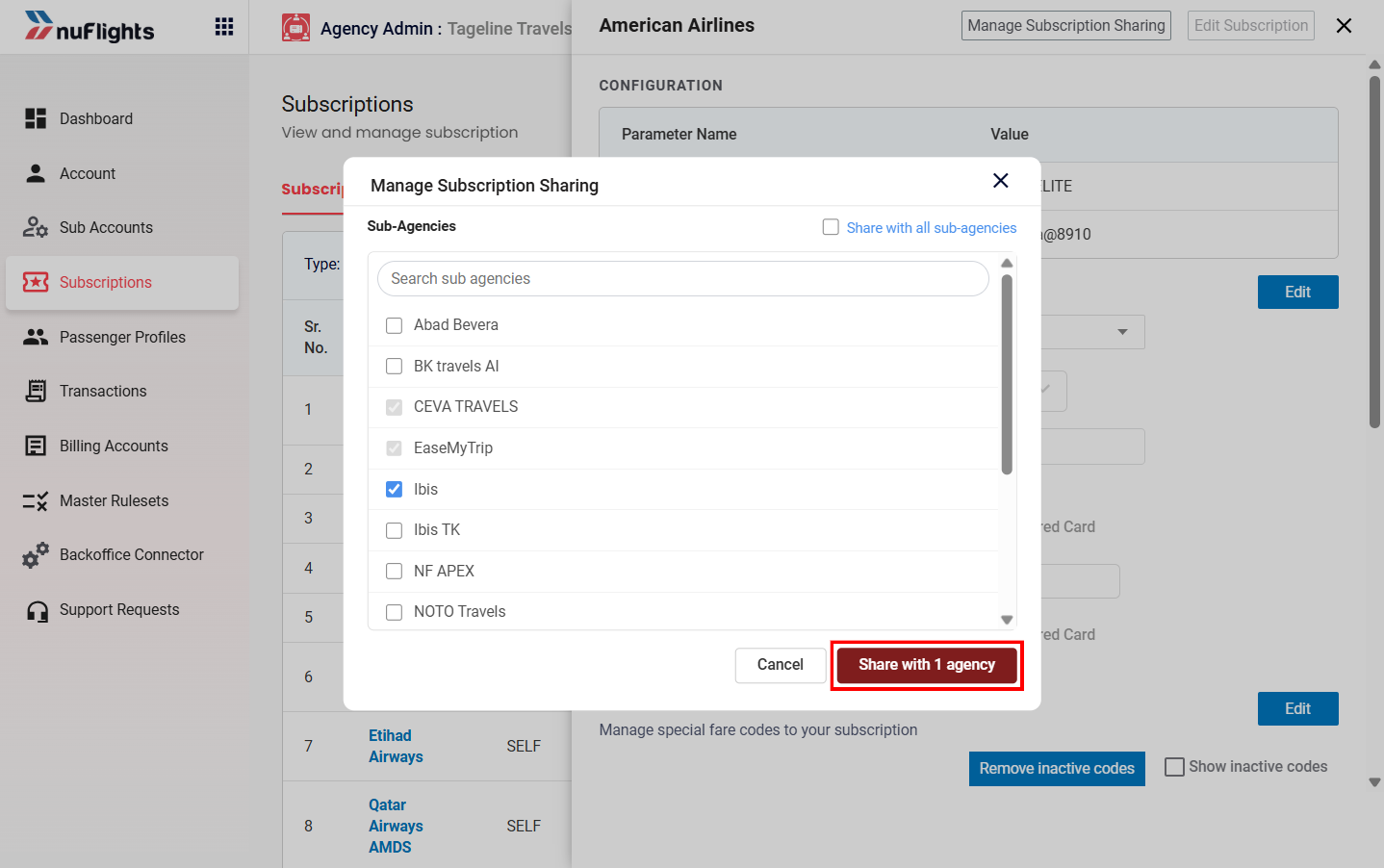
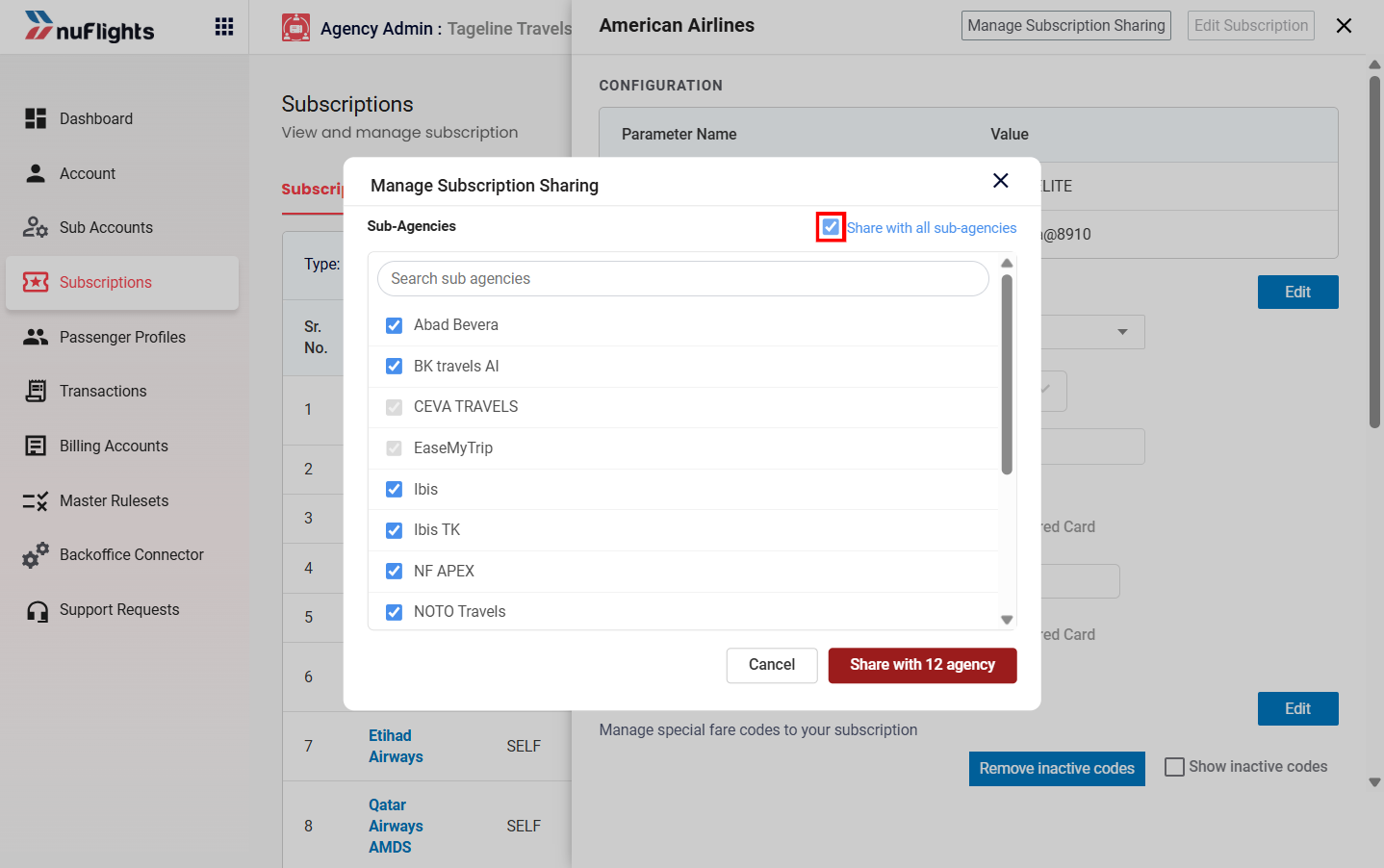
Step 5: Click Share
Click Share at the bottom of the window. The subscription is shared with the selected sub-agencies straight away.
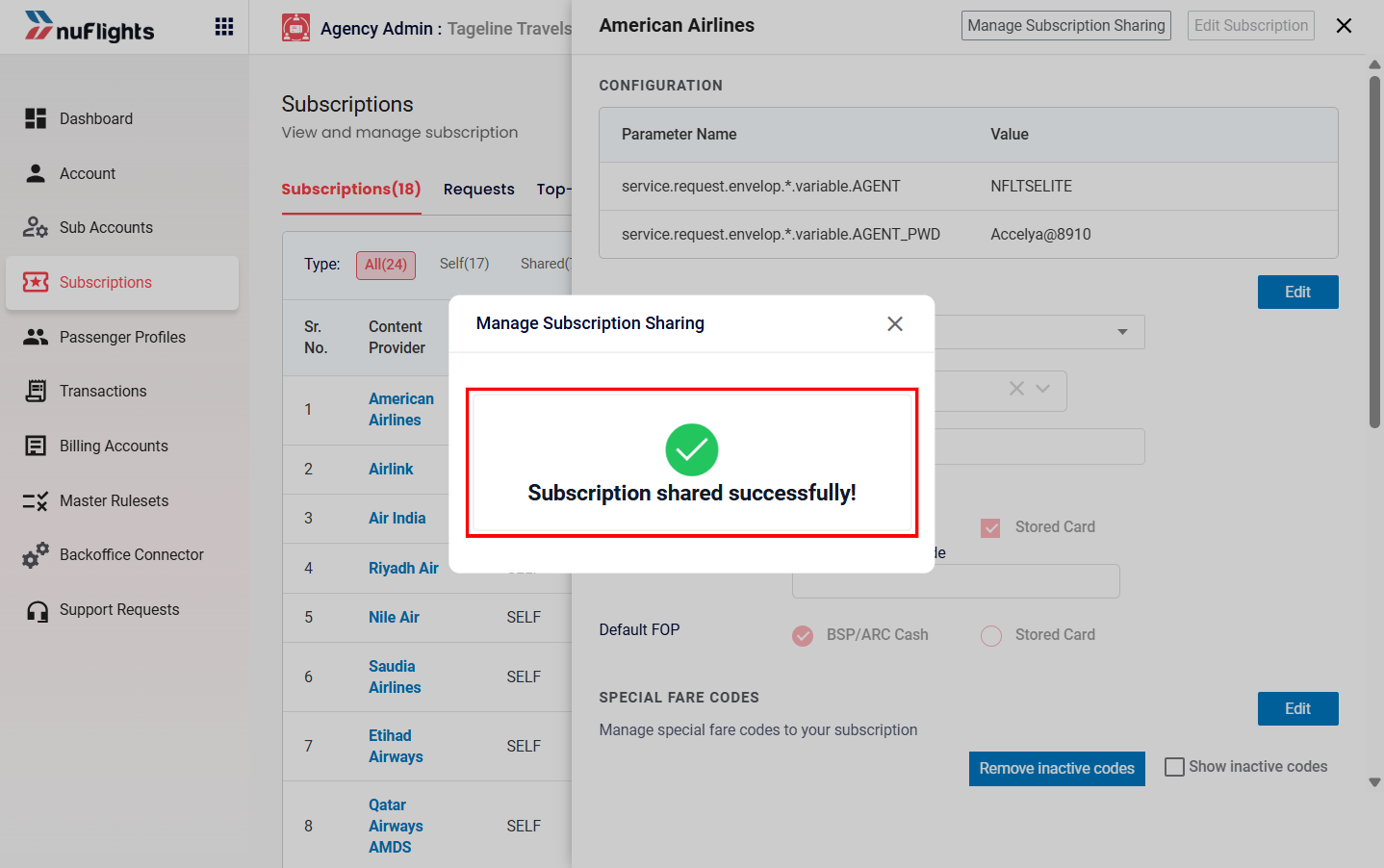
Additional guidance
Subscription roles
- Main Agency: the agency that owns the subscription and shares it.
- Sub Agency: the agency that receives the shared subscription.
- Sharing chains: sharing can be extended further. A sub-agency can potentially share access with another agency, if permitted.
Top-up History
If your agency is a Main Agency, you can track the balance and top-up history of shared subscriptions on the Top-up History tab.
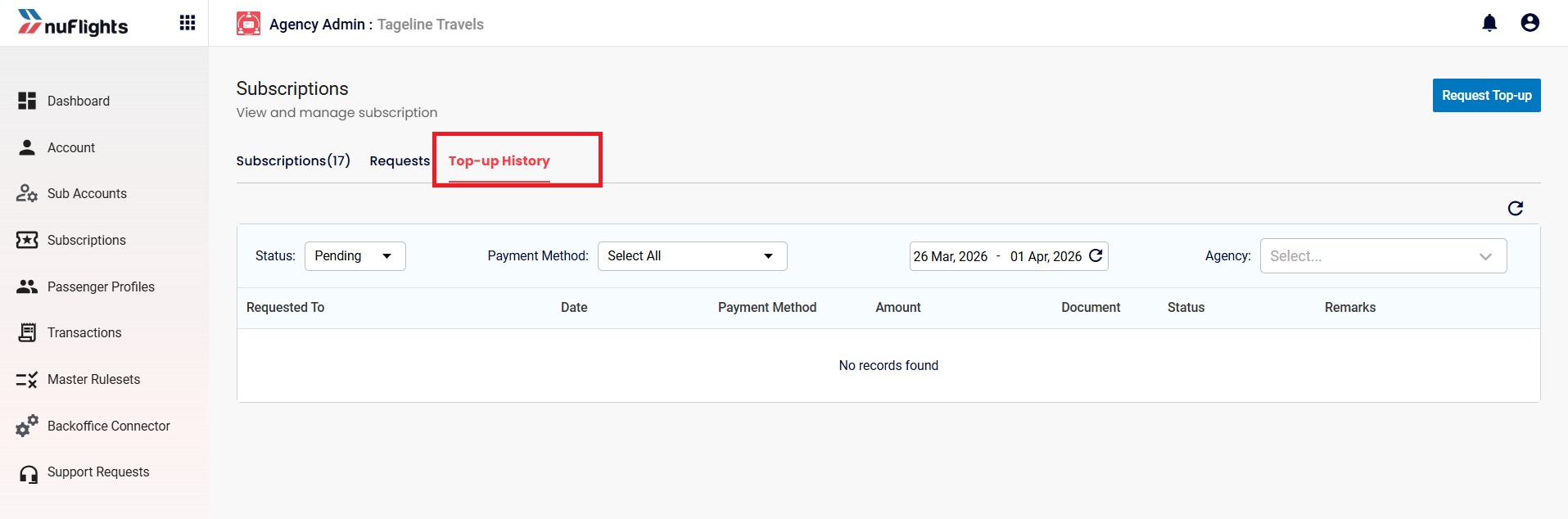
Financial oversight
- Credit Control: manage sub-agency credit limits, monitor available balances and view transaction history. Clicking any Credit Control reference in the system takes you to this management page.