

Void a ticket
Use this to cancel a ticketed order on the same day it was issued, or within the airline's void time limit. Voiding cancels the transaction before funds are fully settled, or as the airline's void rules allow.
info
Voiding is usually free. Voiding a ticket typically has no cancellation charges, and the full amount paid is refunded to the agency account.
Before you start, check that:
- The ticket is within the void validity period (usually 24 hours or the same business day, depending on the airline).
- You are logged in to the Travel Workbench.
Step 1: Open the ticketed order
- Go to the Retrieve Orders page.
- Search for the Ticketed PNR you want to void and open it.
Not sure how? See Find a booking.
Step 2: Click Cancel Order
- On the order details page, click Cancel Order.
- A confirmation dialog appears. Click Proceed.
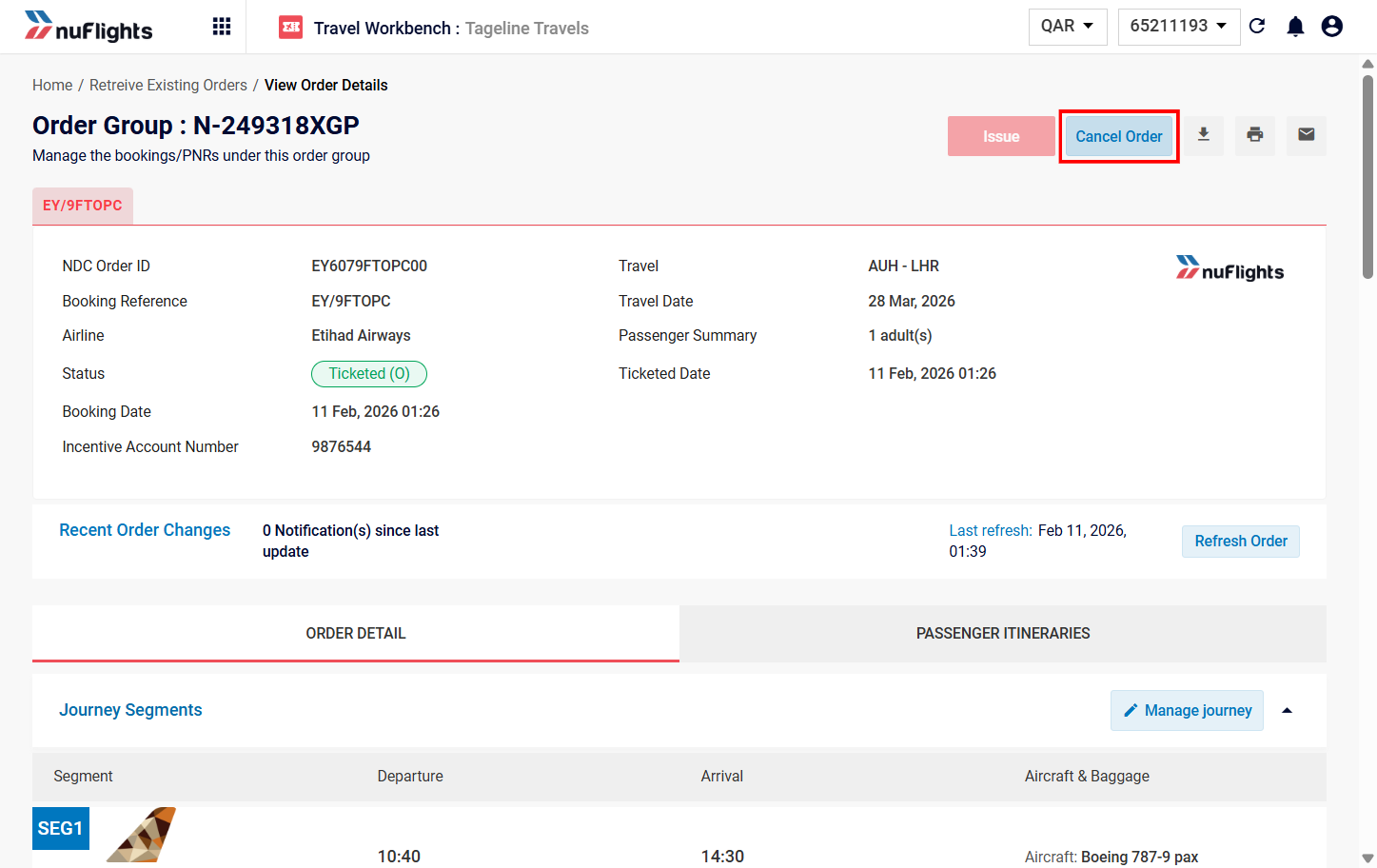
Step 3: Check that it's a void
NuFlights checks automatically whether the ticket can be voided. If it can:
- The transaction is marked as a Void Cancellation.
- A notification or label (for example, "Void Cancellation") confirms this.
- The Refund Details section shows the full refund amount.
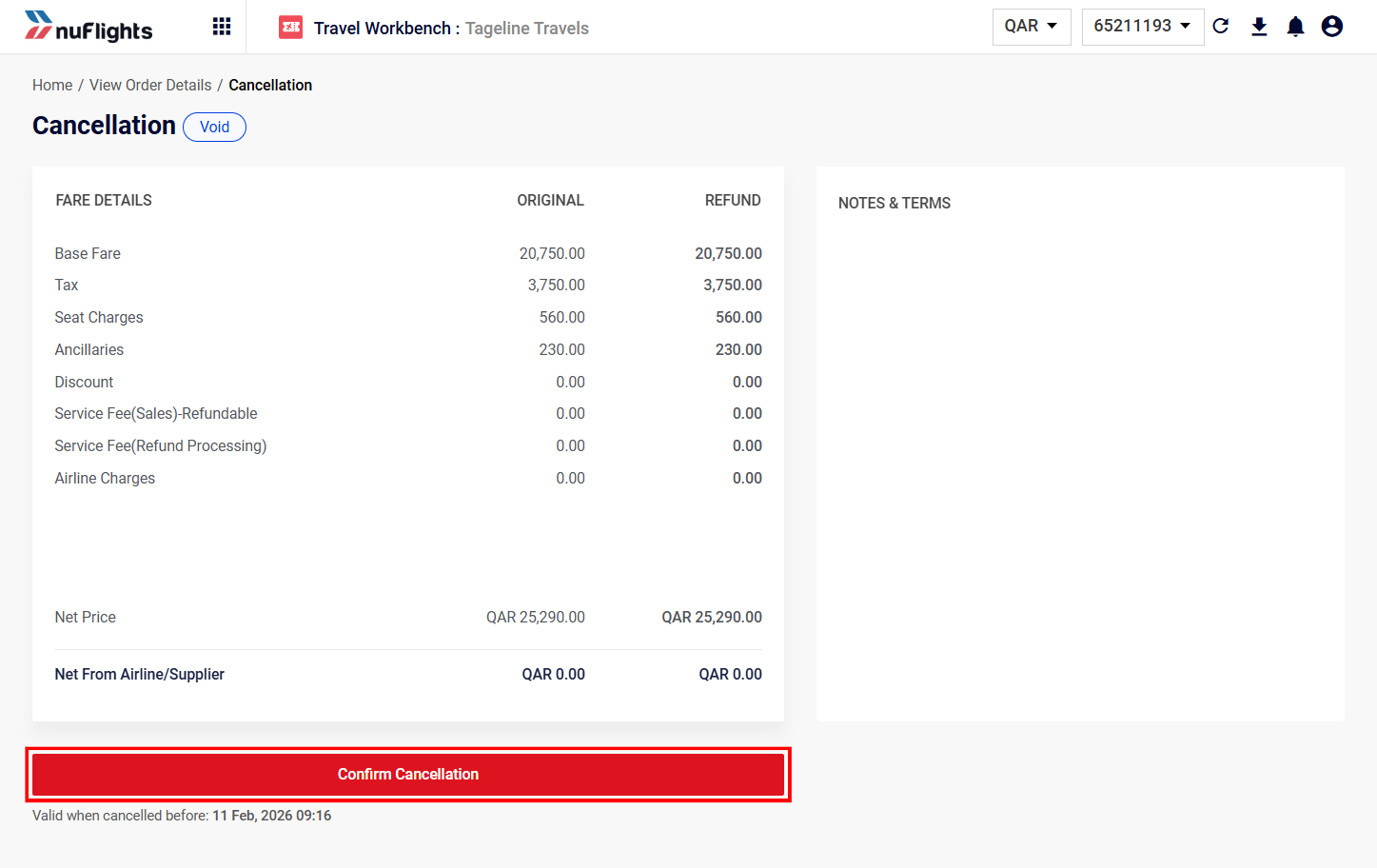
Step 4: Confirm the void
- Check the refund details to make sure the full amount is being returned.
- Click Confirm Cancellation.
The order status updates in NuFlights and with the airline.
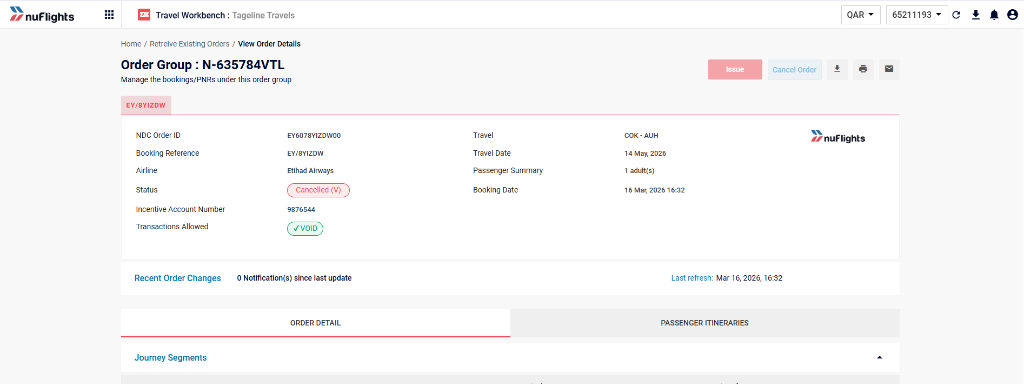
Step 5: Check the order status and refund
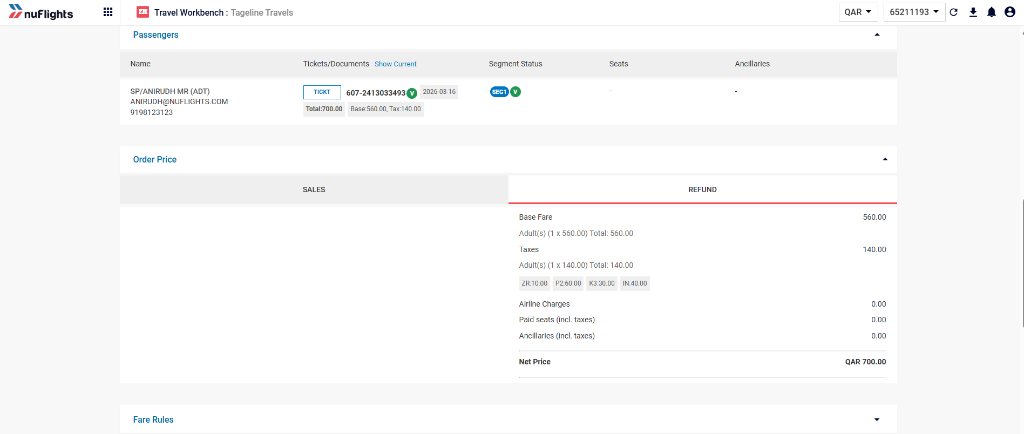
After the void:
- The order status changes to Void Cancelled (or similar).
- The refund is processed to your account.
To check, click View Order.
Related guides