

Change date or route and reissue
Use this when a passenger needs to change their travel dates, origin, destination or cabin class and the ticket must be reissued. You'll search for new flights, check the fare difference and then pay.
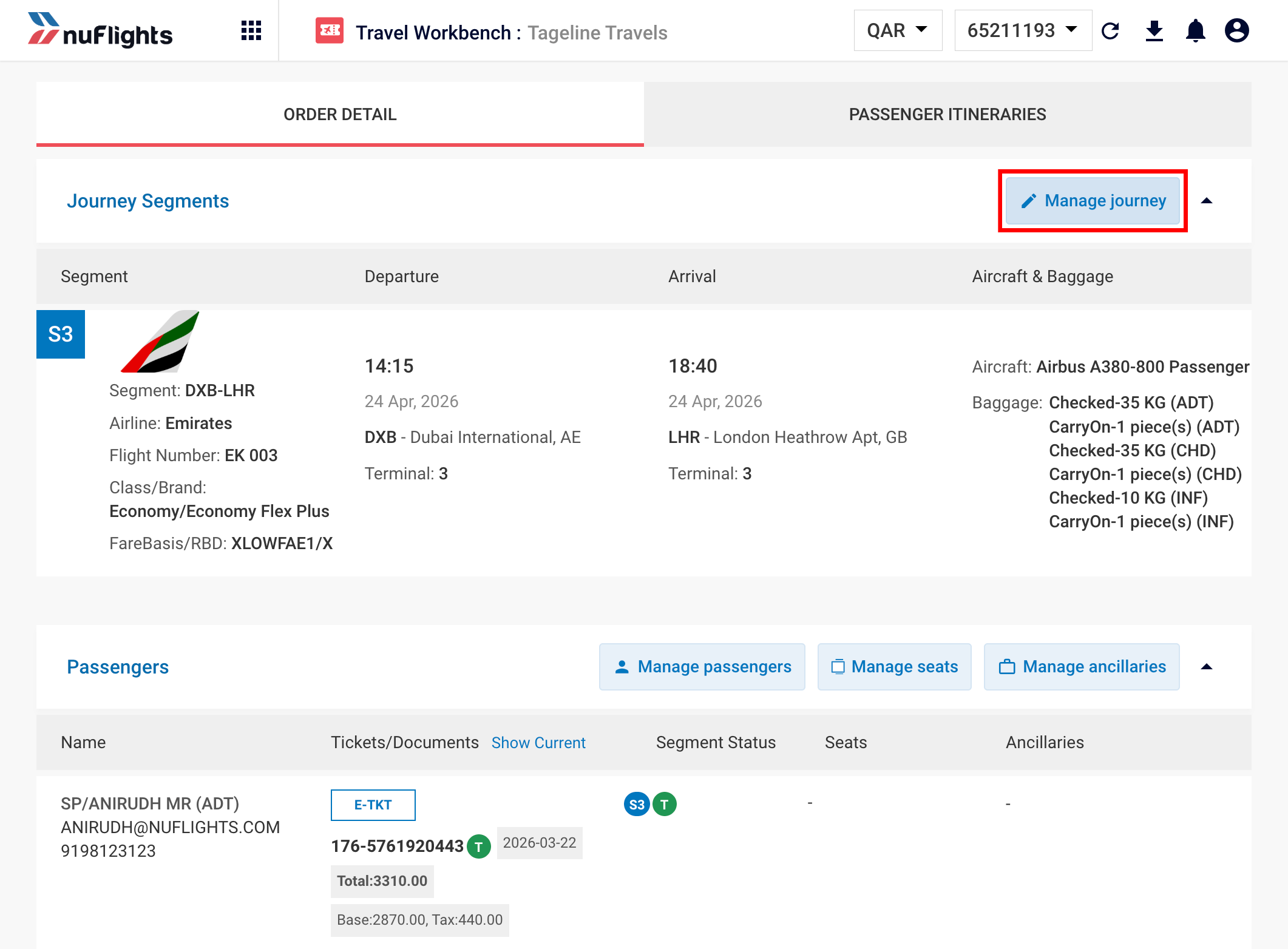
Step 1: Open the order and click Manage Journey
- Find the passenger's existing PNR on the Retrieve Order page and open it. Not sure how? See Find a booking.
- On the Order View page, check the current PNRs.
- Click Manage Journey to start the change request. The Reshop Page opens.
Step 2: Pin the flights you want to keep
Do this if the journey has more than one part (for example a round trip or a multi-city trip) and you want to keep one flight unchanged.
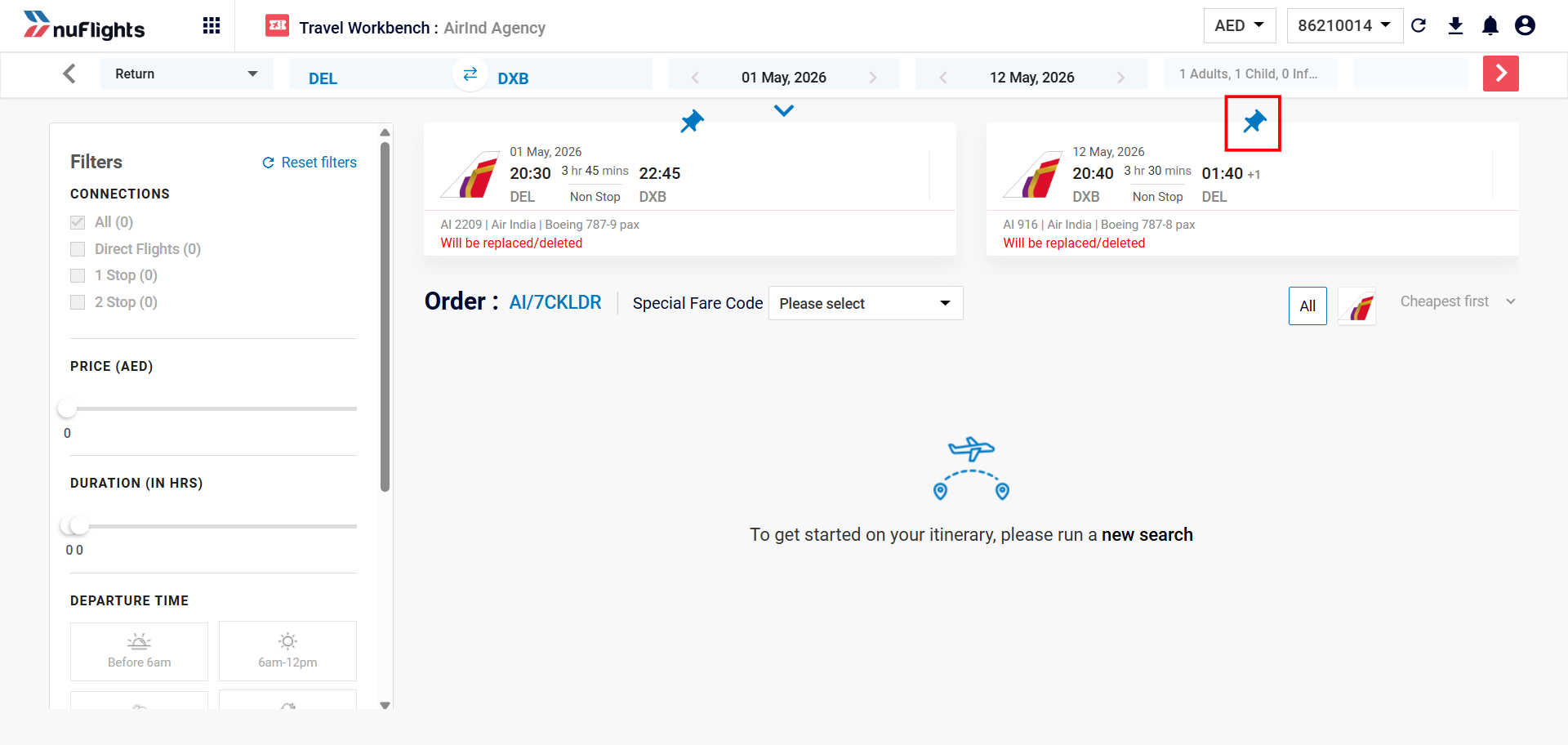
- Click the Pin icon next to the journey you want to keep (for example, the outbound flight). Pinned journeys become inactive and are not re-shopped, so the existing flight details stay as they are.
- Click Unpin on the journey you want to change (for example, the inbound flight). The unpinned journey opens so you can change it, for example the date or cabin class.
Step 3: Change the search and click Search
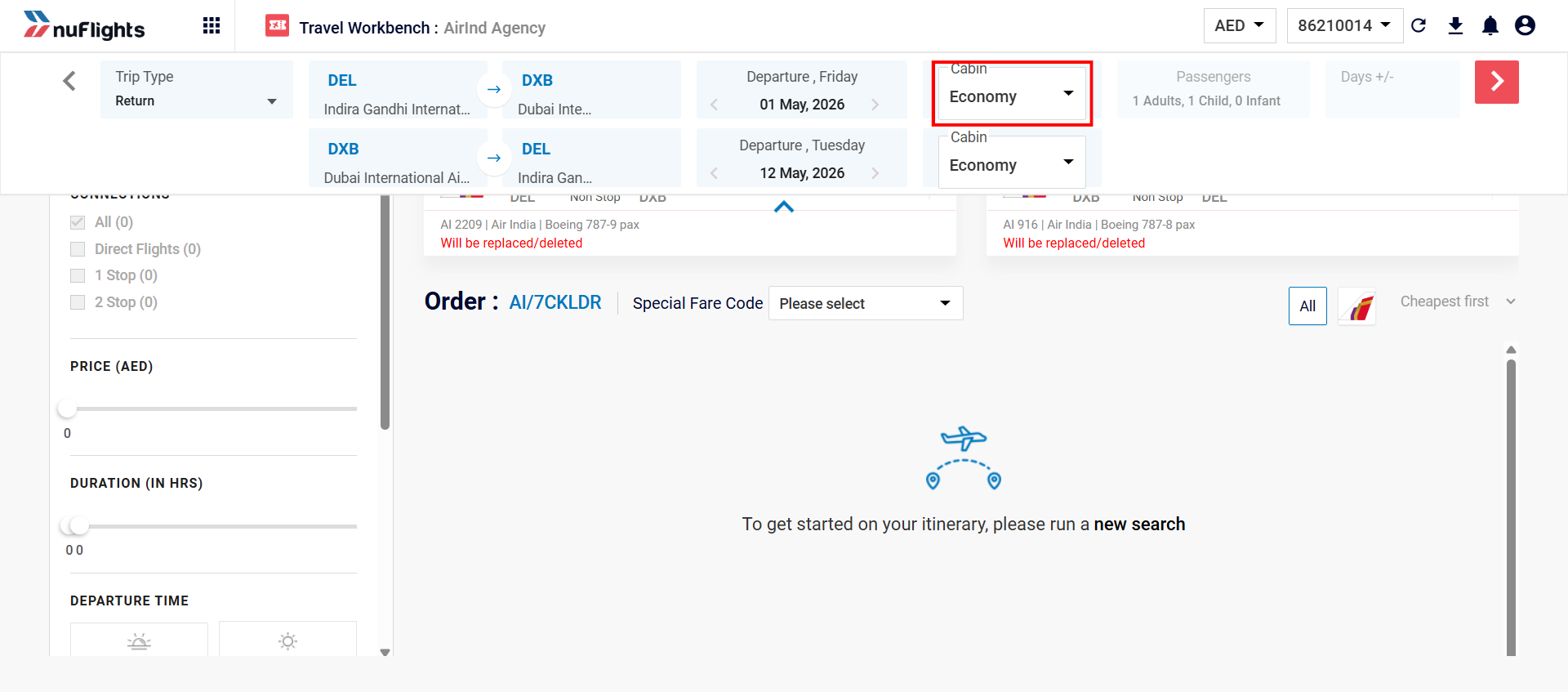
- On the Reshop Page, update the Origin, Destination, Travel Dates, TripType or Cabin (for example, Economy to Business) as the passenger asked.
- Click Search to find flights that match the new details.
tip
Need a special fare code? You can apply a special fare code for the changed journey directly on the Reshop Page, before you start the search.
Step 4: Select a new offer
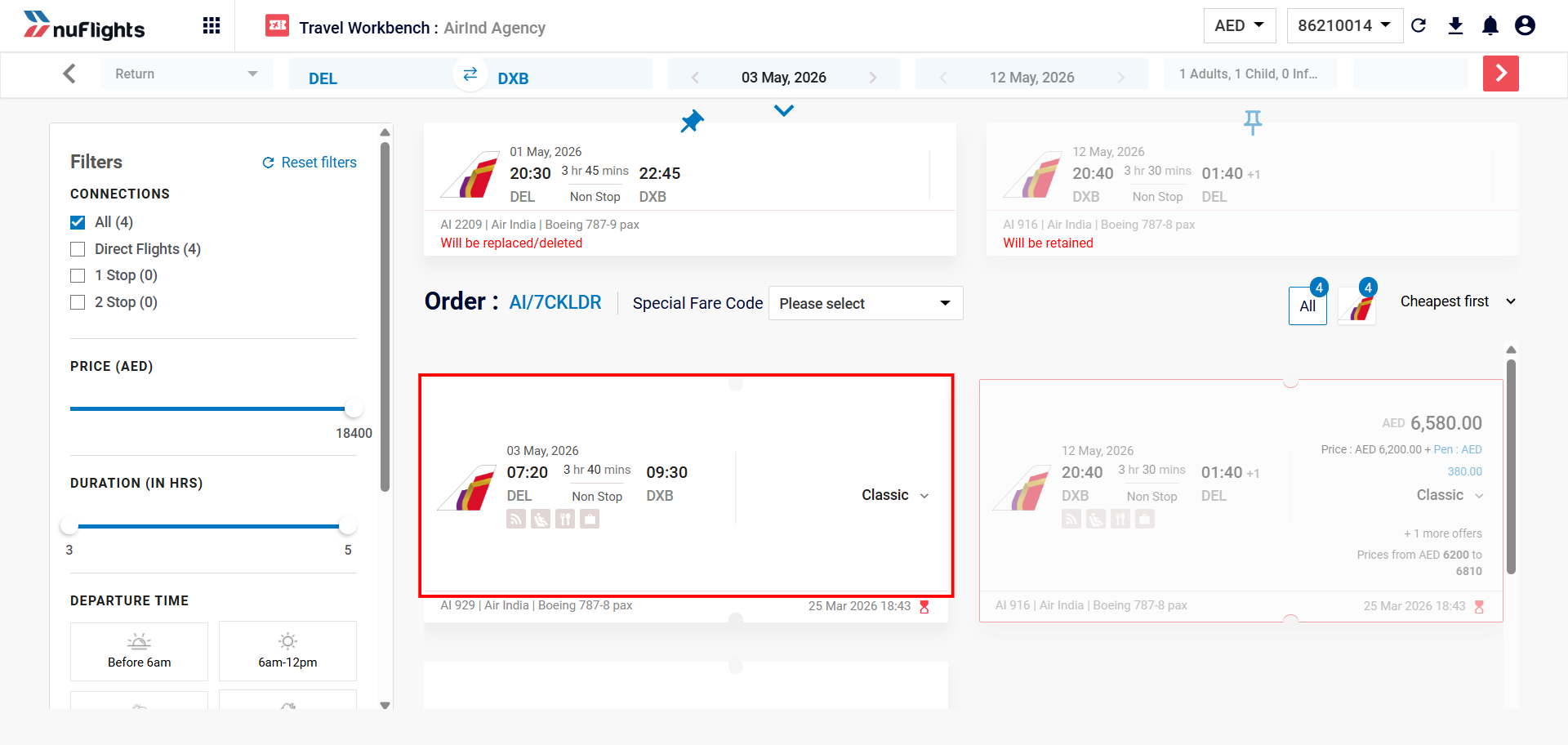
You'll see a list of flights that match your new search.
- Review the available Reshop Offers.
- Select the offer you want for the journey.
Step 5: Check the changes and the fare difference
Before you confirm, review the details of the change.
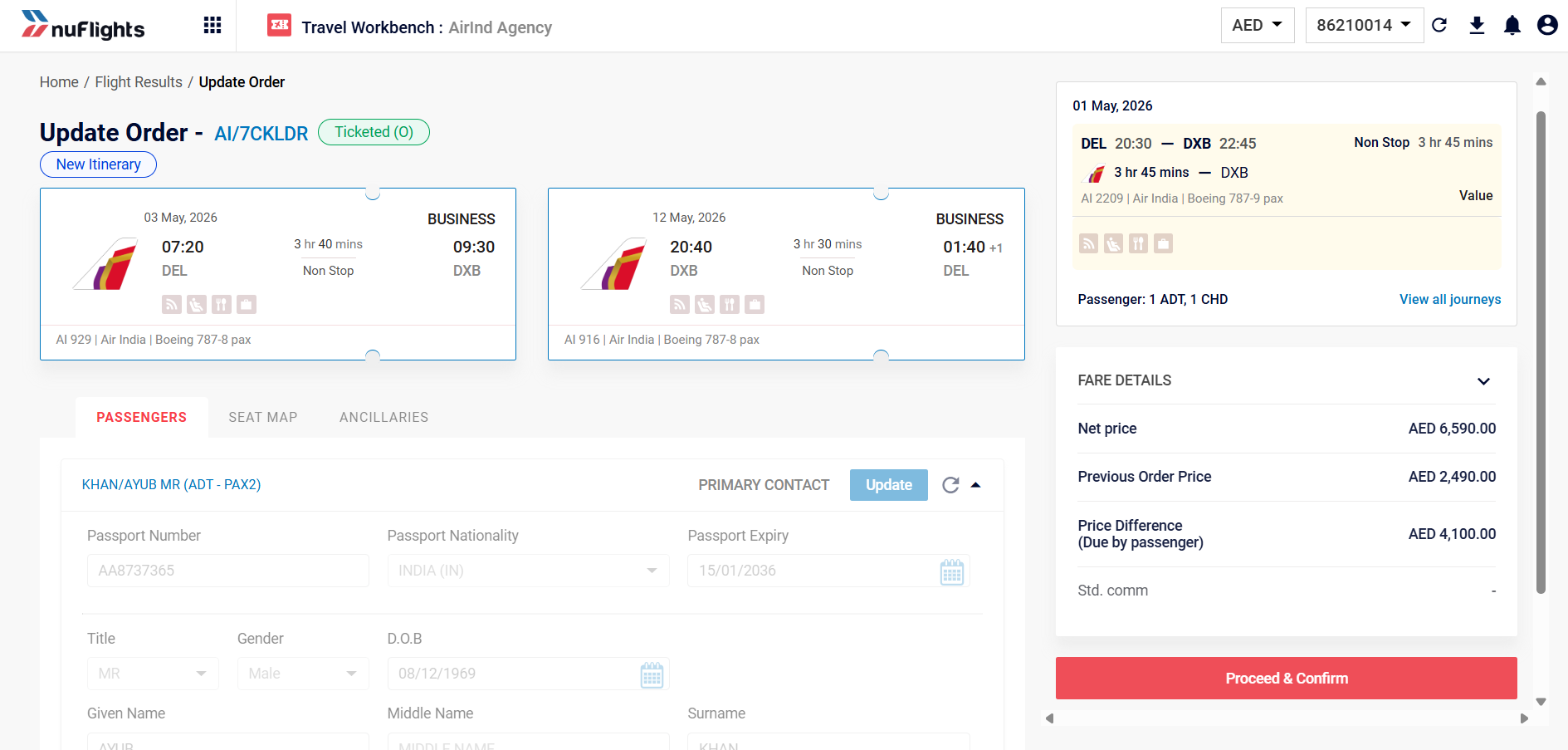
- Go to the Check Fare / details tab.
- Compare the Old Itinerary with the New Itinerary.
- Review the Price Breakdown: the Previous Order Price, the Net New Price and the Difference. The Difference is the extra amount the customer must pay to complete the reshop.
Step 6: Confirm and pay
- When you're happy with the new itinerary and the price difference, click Proceed and Confirm.
- The Payment Page opens. Complete the payment there.
Related guides